
Token prices
Every figure SimplyLedger shows in your entity currency comes from a stored price for a token on a date: the value of a pending transaction, a token card's opening balance, a reconciliation at its closing date, and your portfolio.
Prices are held per token, per date, per currency and per source. They are historical, not live: a transaction from March is valued at March's price, not today's.
Where they come from
Each token names a price source and a source token ID: the identifier that source knows it by, such as ethereum for CoinGecko. Those two fields are what let prices be fetched automatically, and a wrong or missing source token ID is the usual reason a token has none.
Select Supported Tokens in the sidebar's icon rail, then Token Pricing. Token pricing on the tokens page leads to the same place. The page is titled Token Prices.
Fetching prices
Get Prices queues an extraction. Select one or more tokens and a date range, and a background worker fetches the prices from CoinGecko.
Each selected token is listed with an Open in CoinGecko link, so you can confirm you have the right asset before queueing. The link is disabled for a token with no source ID, which tells you the extraction will find nothing for it.
Queueing is not instant. The request returns straight away and the prices appear as the worker works through them.
Setting a price by hand
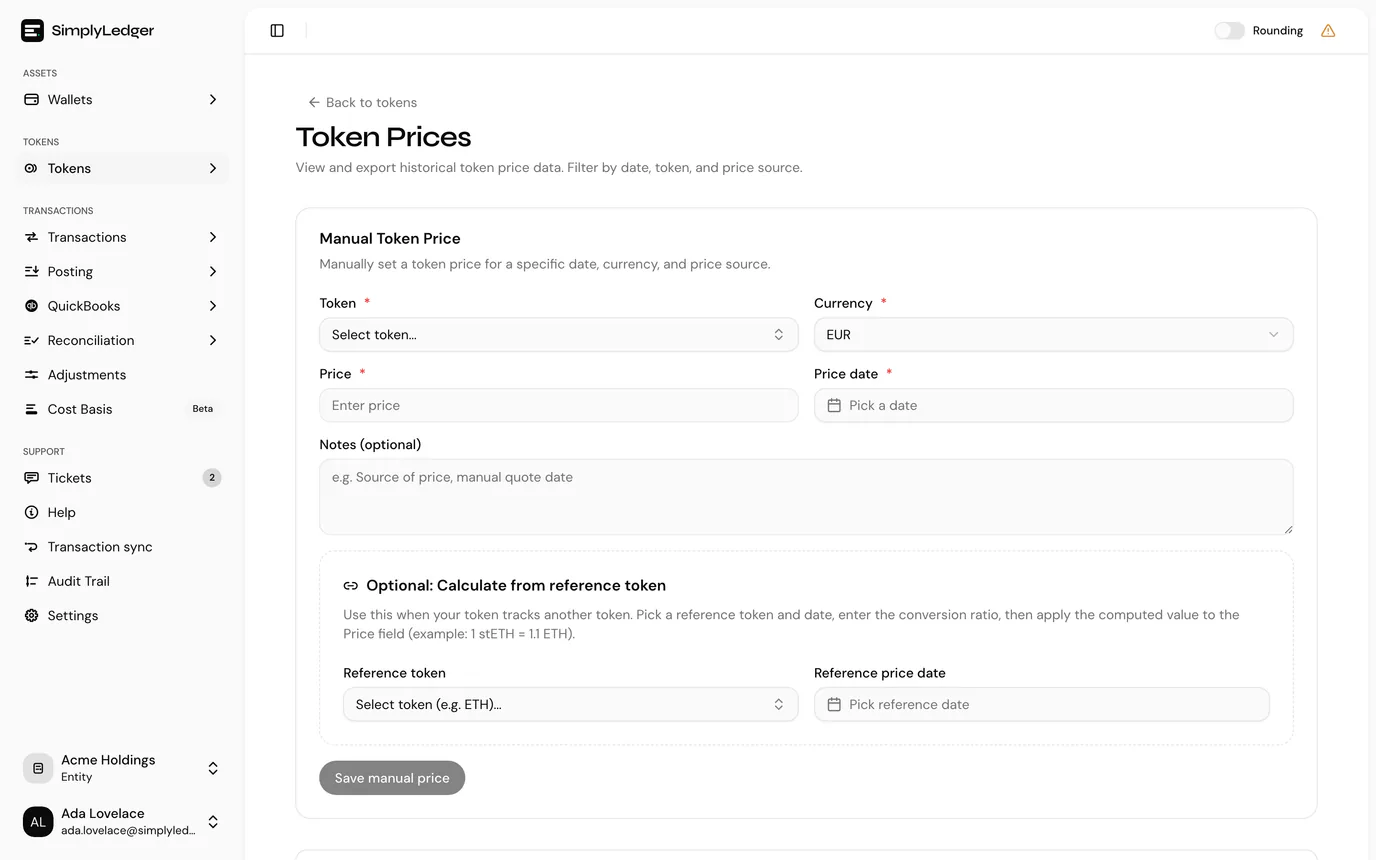
Some tokens are not on a public price source at all, and some dates come back empty. Manual Token Price records a price directly.
| Field | Notes |
|---|---|
| Token | The token being priced. |
| Currency | Your entity currency or USD. |
| Price | The price for one unit of the token. |
| Price date | The date the price applies to. Future dates are disabled. |
| Notes | Optional, and worth using. Record where the price came from, for example the quote and the date you took it. |
Manual prices are saved against the Manual price source, so a later automatic extraction is distinguishable from a figure someone typed. The notes are what make a manual price defensible when an auditor asks how it was arrived at.
Reviewing what is stored
The prices table lists the stored prices with filters for date, token and source, and exports to CSV. Prices show up to six decimal places, here and wherever a unit price appears, so a token worth a fraction of a cent does not read as 0.00.
Use it when a value looks wrong. A transaction valued at zero, or an opening balance that will not fill in, almost always means no price is stored for that token on that date rather than a fault in the calculation.
Who can set prices
Queueing an extraction and saving a manual price both need write access. Viewers can read the price history but not add to it. See roles and permissions.
Next
With accounts, token cards and prices in place, historical sync covers activity flowing in.