
Reconciliation
Reconciliation is the period-end check: it compares the balance SimplyLedger has calculated from your postings against the balance actually held on-chain, and closes the period once the two agree.
Reconciliation is per token card, not per account. An account holding ETH and USDC is reconciled twice, once for each. An account that stakes is reconciled once per holding type as well, since each is a separate on-chain balance. A fiat account is reconciled once per currency.
The reconciliation pages sit under Reconcile in the sidebar's icon rail. Beside them, Reconciliations → Balance Sheet is the token cards list, with each card's last reconciliation date, so it is the place to see which cards are behind.
You do not have to open them one at a time, though: Create Reconciliation opens a draft on as many token cards as you tick, all closing on the same date.
Pick what to reconcile
Select Reconcile in the sidebar's icon rail, then Reconciliations → Create Reconciliation, and choose a Chain. Nothing is listed until you pick a chain, an account or a tag. Add an Account to narrow the list to one account, and use Token to narrow it to one token; the token list only offers tokens that have a card on screen.
Tags lists the token cards on accounts carrying any of the account tags you pick, either across the whole entity or within the chosen chain. It is not used once an account is picked, since an account is already narrower.
Creating reconciliations needs write access, so a viewer or guest does not see this page in the sidebar.
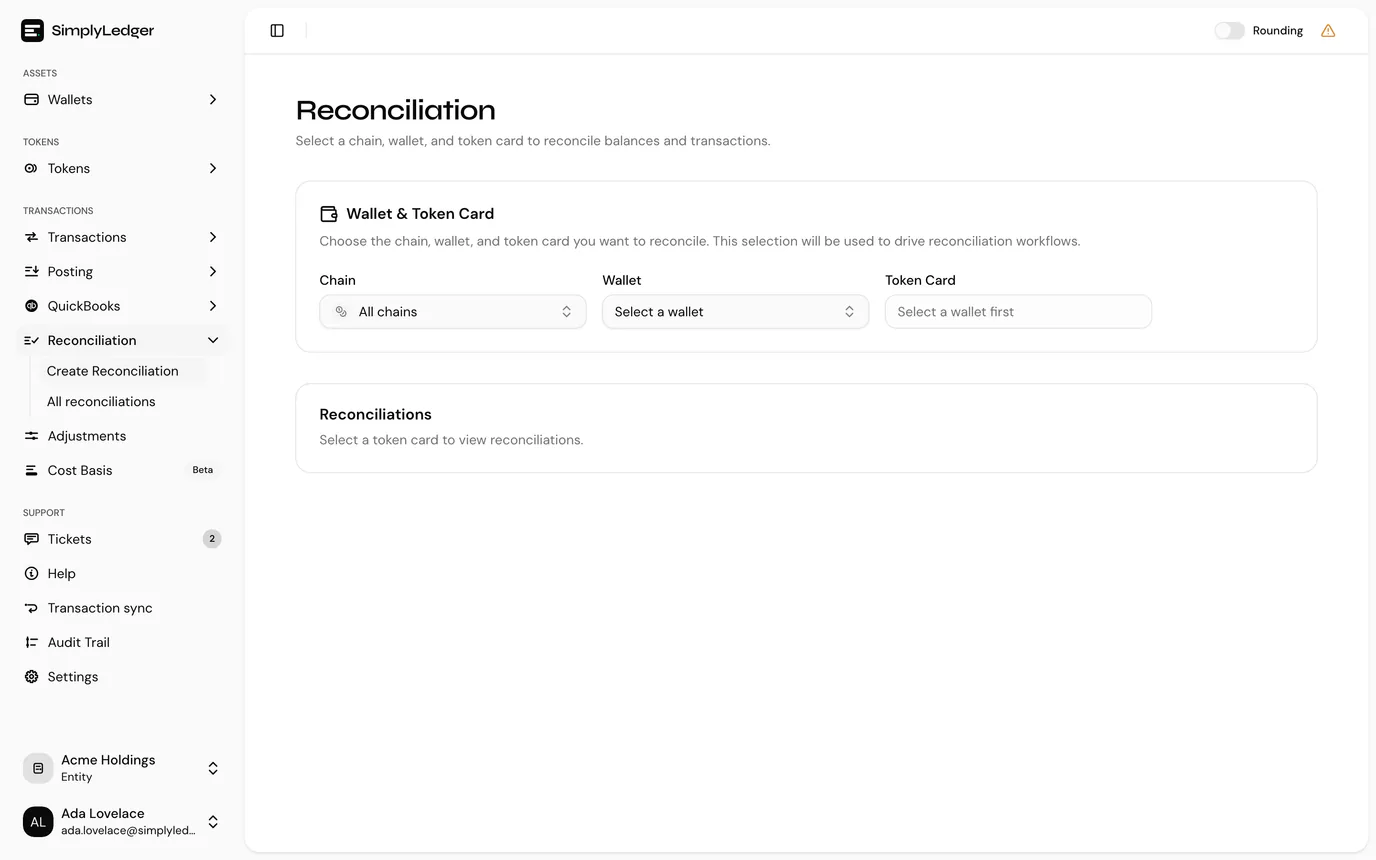
The page lists every active token card in that scope, in up to two tables.
Token cards
Token cards is the list you pick from. Each row shows the Account, Token, Holding type and Last closed, and its state decides where it sits and whether you can tick it:
| State | What the row shows | Can you tick it? |
|---|---|---|
| Never reconciled | Last closed is empty. Listed first. | Yes. The first period opens from the token card's opening balance. |
| No opening balance | Greyed out, with No opening balance in Last closed. Listed after the never-reconciled cards. | No. There is no figure to open a period from, so set an opening balance on the token card first. |
| Reconciled before | Last closed is the closing date of its latest finalised reconciliation. Listed last. | Yes. The new period opens from that closing. |
Hover over No opening balance for the full reason. The search box above the table matches account or token.
Open drafts
A token card that already has a draft reconciliation open is not in the table above. It is listed separately under Open drafts, above it, with the draft's Recon # and the date it Closes, so a card never ends up with two periods open at once.
Select a row to open that draft. From there you finalise it, or use Edit closing date to move it to the date you are reconciling the rest to. The back button on the draft returns you to this page, with the same account still picked if you chose one.
Create the drafts
- Tick the token cards to reconcile. Selecting a row ticks it too, and the checkbox in the header ticks every card on screen that can be reconciled. Ticks survive changing the Token filter, but picking a different chain, account or tags clears them.
- Select Create reconciliations. The dialog confirms how many token cards are selected.
- Choose the closing date: the end of the period you are reconciling. Every ticked card closes on this date.
- Select Create reconciliations in the dialog.
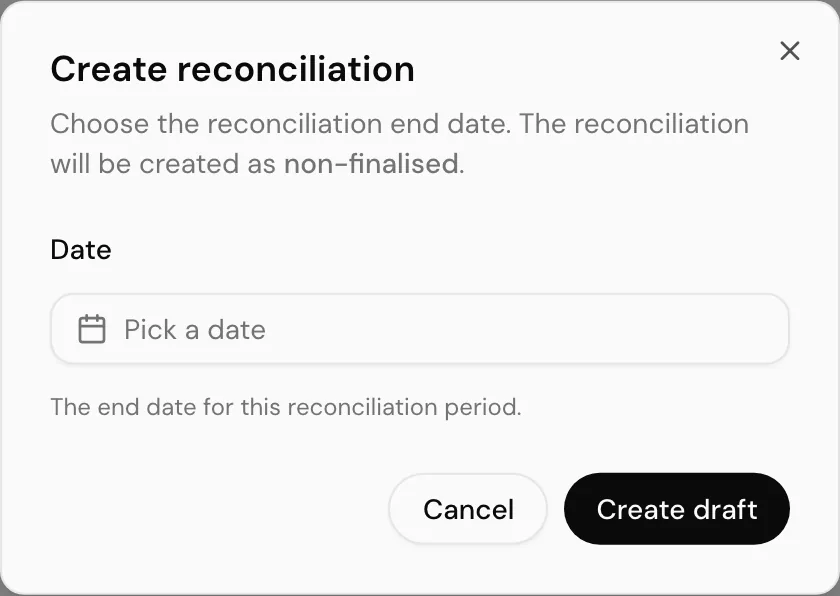
Only past days can be picked
The latest closing date on offer is yesterday (UTC). A day's on-chain closing balance is only recorded once that day has ended, so there is nothing to compare against before then.
Each card becomes its own draft, unfinalised, so nothing is committed until you have looked at the numbers. You then check and finalise each one individually, from All Reconciliations or from Open drafts on this page.
When some cards are skipped
A card the chosen date does not suit is left out rather than failing the whole batch. The message after creating says how many were created and how many were skipped, and why:
| Reason | Meaning |
|---|---|
| Already reconciled to this date | The card is already reconciled up to that closing date. Pick a later one. |
| Date before period start | The closing date falls before the start of the period the new reconciliation would open. |
| Reconciliation still open | A draft was opened on the card after you loaded the page. Finish that one first. |
| Token card not found | The card is no longer available. |
Read the two balances
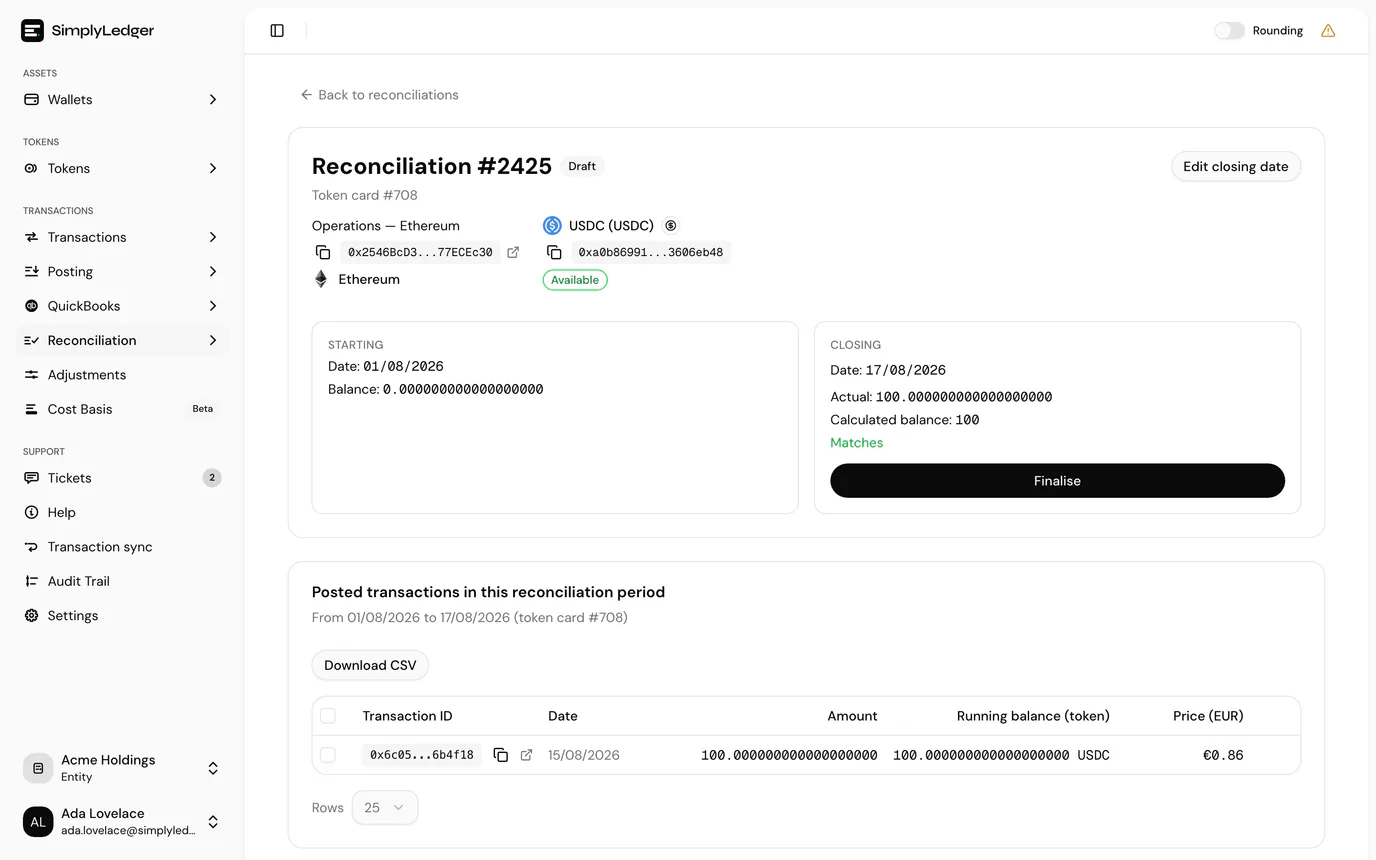
The page title uses the reconciliation's public reference (for example SVC-R-1). The account and the token card under the title are links, and open in a new tab so you do not lose your place. The card shows the period from both ends:
| Meaning | |
|---|---|
| Starting | Where the period begins: the closing balance of the last finalised reconciliation, or the token card's opening balance if this is the first. On a draft this is the same figure the calculated balance is built from. |
| Closing → Actual | The balance actually held on-chain at the closing date. |
| Closing → Calculated balance | Starting balance plus every posting in the period. |
When the two agree the card says Matches in green and Finalise appears. In the example above the card opened at 0, one receipt of 100 USDC was posted, and the chain holds 100, so it reconciles.
Below the balances, Posted transactions in this reconciliation period lists exactly what went into the calculated figure, with a running balance so you can follow it line by line. Download CSV exports it.
When no closing balance was found
The actual balance comes from the balances collected for that token card. When there is none for the closing date, the card says No balance was found for this period instead of a figure, and finalising is not offered until one exists.
Two ways out, and which you are offered depends on the account:
| Action | When it appears | What it does |
|---|---|---|
| Fetch balance | Token cards whose balance can be read back from a chain | Asks the chain for that day's balance and stores it. |
| Add manual balance | Always | Opens Add manual balance, where you type the closing balance yourself. It is then used as the actual balance for this reconciliation. |
Fetch balance appears on exactly the token cards that offer Get Historical Balances on balance collection. It is absent on an exchange, fiat or custodian token card, none of which has a chain to read, and also on an on-chain card whose chain SimplyLedger cannot query for a past date: a delegated card on a chain that does not report staked balances that way, or a chain with no archive access configured.
Where it is absent, the panel says to add a manual balance rather than offering a button that would fail, and that is the way through. On a fiat account the manual figure is the one on your bank statement for that date.
Once a balance exists the card goes back to showing Actual against Calculated balance as normal.
Refetching a balance you already have
Where a balance was found but you have reason to doubt it, Refetch balance at the top of the Closing panel collects it again from the chain. It appears on unfinalised reconciliations wherever Fetch balance would, under the same rule, and sits beside Record Difference.
Use it after fixing something upstream, a missing holding type split or a late historical sync, rather than as a first reflex: it re-reads the same day from the same source.
When they disagree
A mismatch shows Mismatch and the difference in red instead of Matches, and Finalise stays hidden. The usual causes, in the order worth checking:
- Transactions not yet synced: check transaction sync
- Transactions synced but not yet posted: check the pending queue
- Something posted to the wrong category or token card
- One leg of a swap or bridge still sitting in a hold account: check hold matches
- A genuine difference, such as a fee the indexer did not attribute
For the last case, Record Difference posts a balancing entry so the period can close with the discrepancy recorded rather than hidden.
Finalise
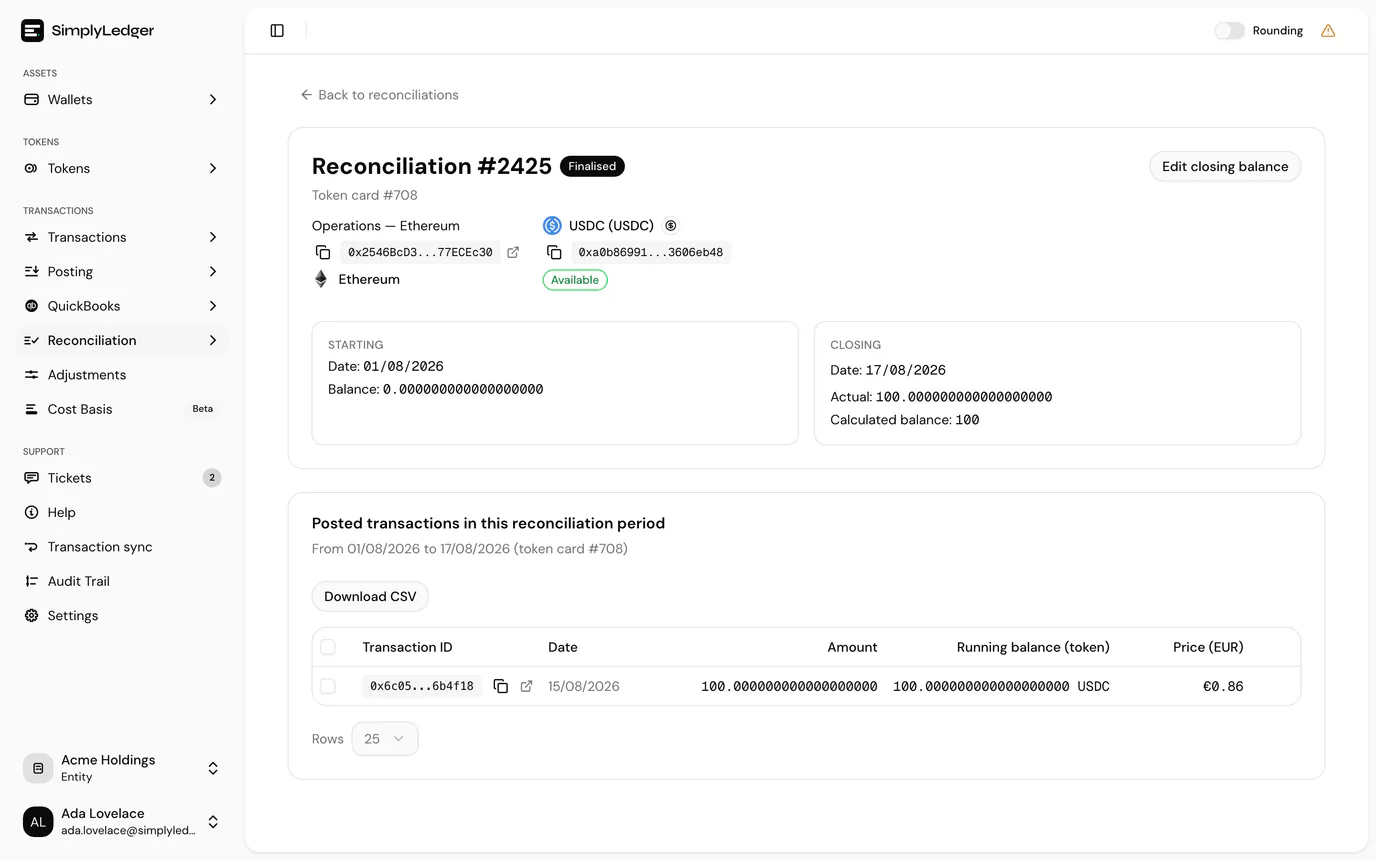
Finalise closes the period. The badge changes from Draft to Finalised, and the closing balance becomes the starting balance of the next reconciliation for that card.
Periods on a token card close in order. If an earlier reconciliation on the same card is still open, for example one that was reopened, Finalise is greyed out with Finalise the earlier open reconciliation for this token card first. Finalise that one, then come back.
Note what changes after finalising: Edit closing date is replaced by Edit closing balance. Once a period is closed its boundary is fixed; only the figure can be revised, and doing so reopens it, along with the later reconciliations on that card that open from it.
All reconciliations
Reconcile → Reconciliations → All Reconciliations browses every reconciliation across accounts and token cards, exports to CSV, and opens any record for its balance and posting detail. Create reconciliation at the top takes you to the page above.
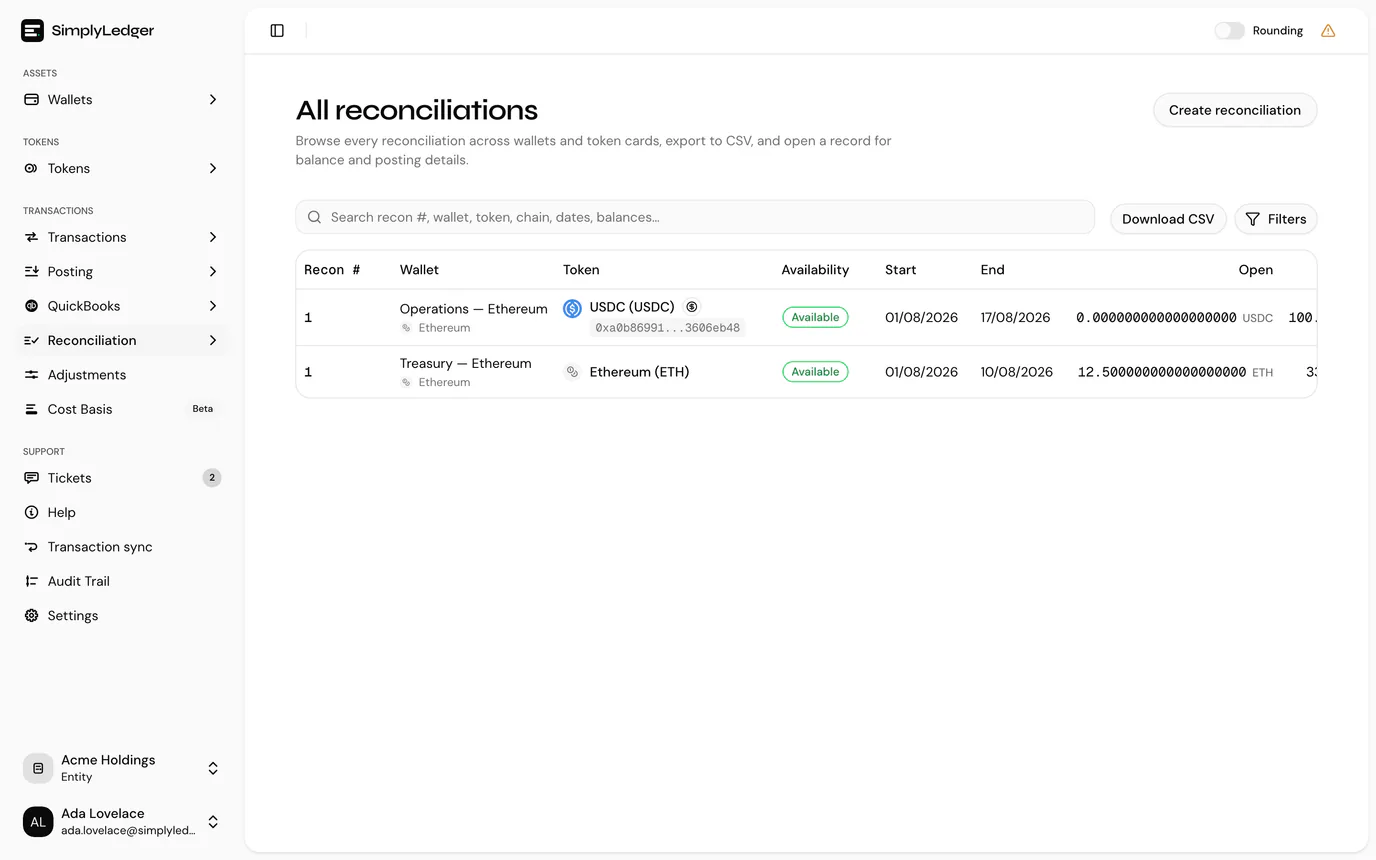
Filters narrows the list by account Tags, Chain, Account, Token, Holding type, Status and End date range. Each list only offers what the filters above it leave, so pick a chain first and the accounts narrow to that chain. Changing the tags clears the chain, account, token and holding type filters, since those are picked from the rows the tags return. Status shows drafts and finalised reconciliations by default; add Archived to see those too.
Download CSV exports exactly the rows on screen: your filters and whatever the search box has left. Your filters and search are kept when you open a record and come back.
This is the audit view: where you show that a closed period was checked, and what it was checked against.
Reopening a closed period
Reopening can notify the entity by email, controlled by an entity setting. If your team expects to be told when a period is reopened, have an admin confirm Notify entity when reconciliation is reopened is switched on under Settings → Entity → Reconciliation.
Next
Adjustments covers entries that do not originate from an account's own transactions.