
Entity dashboard
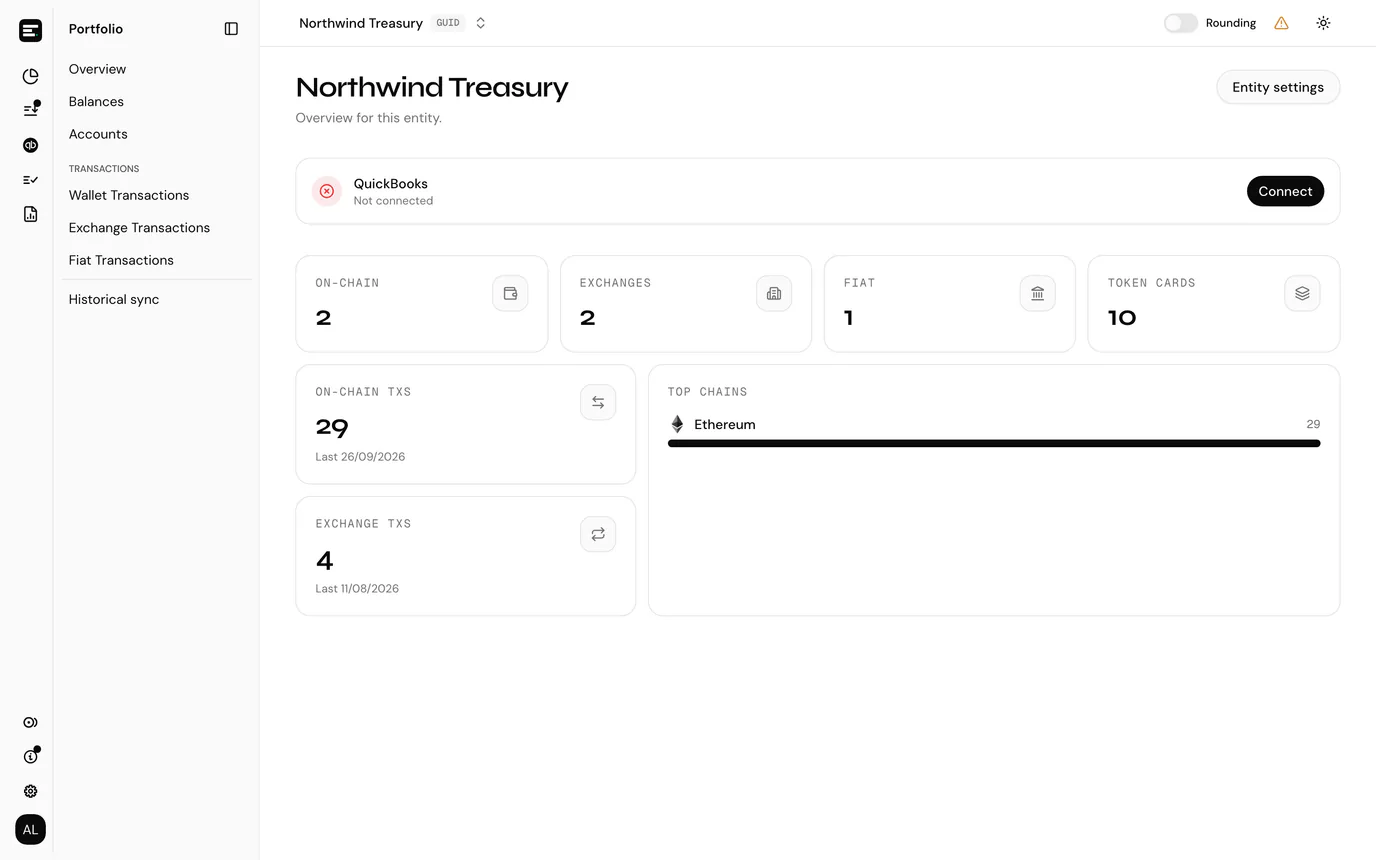
The dashboard is the first page you land on inside an accounting entity, at /<entityId>. It answers one question: what is in this entity and is anything obviously wrong.
It has no entry of its own in the sidebar. Select the SimplyLedger logo at the top of the sidebar's icon rail to come back to it from anywhere in the entity.
It is deliberately open to every role, including viewers and guests, so that every member has somewhere to land.
Portfolio entities
A portfolio entity has no dashboard. It opens on the portfolio overview instead, and the logo takes you back there.
What it shows
The header carries the entity's name. Admins and owners also get an Entity settings button here, which is the quickest way into settings.
Below that, six counts and a chain breakdown:
| Card | Counts |
|---|---|
| On-chain | On-chain accounts: one per address per chain. |
| Exchanges | Exchange accounts, one per connection. |
| Fiat | Fiat accounts, the bank accounts. |
| Token Cards | Token cards created across all accounts. |
| On-chain txs | Transactions synced from block explorers, with the date of the most recent one underneath. |
| Exchange txs | Transactions pulled from connected exchanges, again with the latest date. |
| Top chains | The five chains carrying the most transactions, as a bar per chain. |
Custodian accounts are not counted on the dashboard. They appear under the Custodians tab of the accounts list instead.
The Last date under the transaction counts is the useful one. If it is weeks old on an entity you expect to be busy, syncing has stalled. Check historical sync.
QuickBooks status
With the QuickBooks integration switched on, a connection status strip sits above the counts.
- Connected with a green tick means the OAuth link is live.
- Not connected offers a Connect button, which opens QuickBooks in a new tab.
- Checking connection... is the status still loading.
- Unable to check status means the check itself failed, rather than the connection being down.
The strip is hidden when the integration is off, and for guests.
Admins and owners also get a card counting token card(s) without a QuickBooks account, typically cards created before QuickBooks was switched on. Set up accounts links each one to a QuickBooks account; see linking token cards to QuickBooks. It needs a live connection, and the card disappears once every token card has an account.
Where are the counts from?
Token cards and accounts are counted live. Transaction counts and the chain breakdown come from a periodically refreshed entity summary, fetched separately, so they can fill in a moment after the other cards, and a transaction that synced moments ago may not be in the total yet.
Next
Entity settings for the feature switches, or the team for who else is in here.