
Grouped transactions
Grouped Transactions shows postings made from more than one transaction at once, laid out as the pair of entries they became: the account side and its contra side, side by side on one row.
It is the view to use when you need to see the double entry as a pair rather than as two rows in posted transactions, and to get from a posting back to the individual transactions that went into it.
Open it by selecting Reporting in the sidebar's icon rail, then Grouped Transactions. It was called Grouped postings in earlier versions.
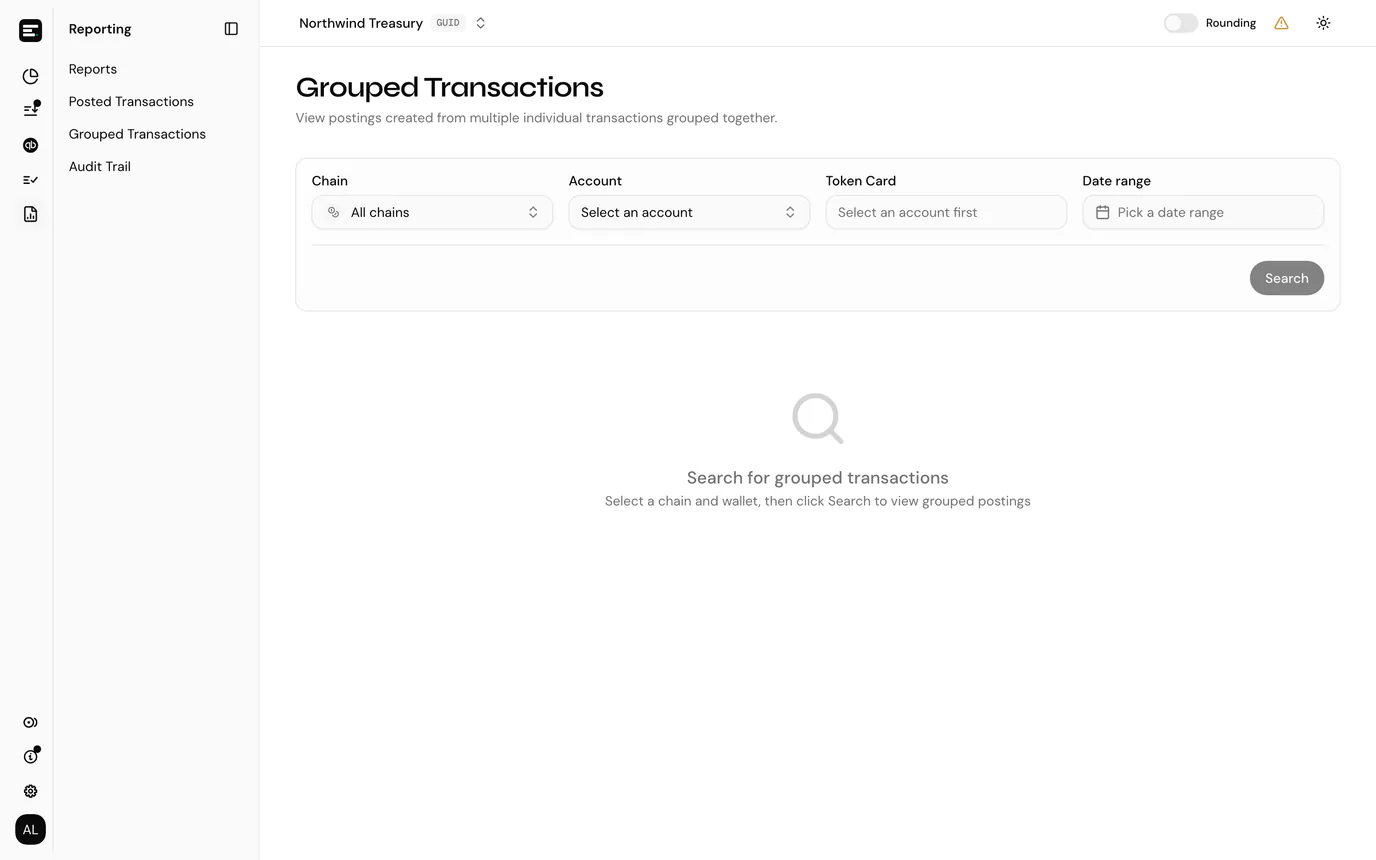
Finding grouped transactions
The page does not load until you search. Pick a chain and account, optionally a token card and a date range, then select Search.
Reading the table
Each row is one posting shown from both sides, with related fields stacked to keep the table narrow.
| Column | Notes |
|---|---|
| Entry # / Contra # | The public reference of each side of the double entry (for example SVC-P-12), entry above contra. |
| Transaction | The on-chain transaction the group is anchored to, with its date underneath. |
| Entry / Contra account | The account side names a token card; the contra side, underneath, names a QuickBooks account. |
| Description / Category | The description, with the posting category applied underneath. |
| Entry amount / Value | The entry side's amount with its token, and its value in the entity's currency at the transaction's date. |
| Contra amount | The other side. |
The Sort by menu above the table orders it by date, amount, value, description or category.
The search box matches on posting reference, transaction ID, description, category, token or account.
Email CSV exports every grouped posting matching your account, token card, date range and search, not only the page on screen. The dialog names the address on your account; select Send and the file arrives by email once it has been generated.
The posting's linked transactions
Selecting a row opens the posting itself, listing every transaction linked to it:
| Column | Notes |
|---|---|
| Link ID | The link's own identifier. |
| Transaction | The transaction ID with its date underneath, and a copy button. |
| Amount | With the token. |
This is the answer to "which transactions actually make up this entry", and the only place it is spelled out. A posting with a single transaction shows one row; a posting made by staging a dozen transfers together shows twelve.
Back to grouped postings returns to the list.
Common problems
"No grouped postings found". No postings for that account and range were made from grouped transactions. Ordinary one-transaction postings are in posted transactions.
"This posting has no linked transactions". The posting exists but nothing is linked to it, which happens with adjustments and opening balances, since neither comes from an on-chain transaction.
Next
Posted transactions for the full ledger, one row per side.