
Integrations
Each supported exchange has its own page under Integrations, at /<entityId>/integrations/<name>. It is where an exchange's stored credentials live, separately from the accounts themselves.
Five exchanges are supported: Binance, Kraken, KuCoin, OKX and Nexo. The first four connect with API credentials. Nexo has no public API and works from CSV uploads instead, so it gets its own page.
Three custodians are supported the same way: BitGo, DFNS and Fireblocks. They use a different connect flow (one credential discovers many wallets) and are covered in custodian integrations.
Adding an exchange for the first time is done from Accounts → Create → Exchange, described in connect an exchange. Adding a custodian is Accounts → Create → Custodian, described in connect a custodian. This page is for what happens afterwards on an exchange.
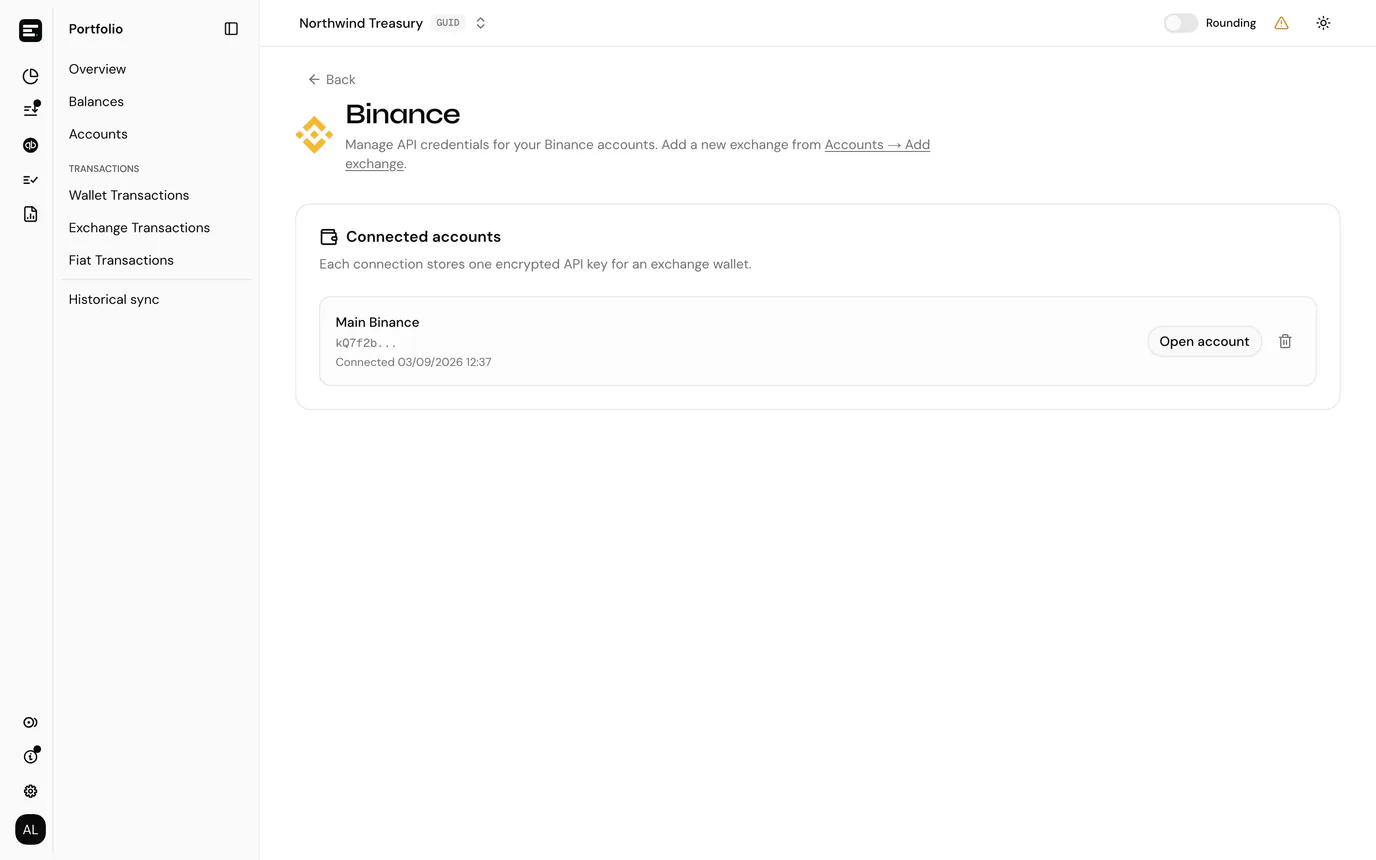
Connected accounts
Every account on this exchange with working credentials is listed, showing:
- the key's name
- a preview of the API key, its first characters only. The full key and the secret are never displayed again after you save them, and the secret is encrypted at rest.
- the date it was connected
- Open account, which goes to that account's page
Each connection stores one encrypted API key for one exchange account. Holding three Binance accounts means three accounts and three keys here.
Needs reconnect
Accounts on this exchange with no credentials attached are listed separately, above the connected ones, highlighted in amber.
An account lands here when its key was disconnected, or was revoked or expired at the exchange. It keeps everything it already synced but stops receiving anything new.
Reconnect attaches fresh credentials to the existing account.
Reconnect, do not re-create
Creating a second account for an exchange you already have is the mistake this section exists to prevent. The new account would sync the same history again and every balance and posting would double. Always reconnect the account that is already there.
Disconnecting
The trash icon on a connected account removes its credentials after a confirmation. The account and all its synced history stay in your ledger; only the key goes. It then appears under Needs reconnect until you attach a new one.
Use this when rotating a key at the exchange: disconnect, create the new key at the exchange, reconnect.
Common problems
The key saves but nothing syncs. The key most likely lacks read permission for the data SimplyLedger needs, or the exchange has an IP allow-list blocking it. Both are set at the exchange, not here.
An account is in neither list. Only exchange accounts belonging to this exchange appear on its page. Check you are on the right integration.
Next
Nexo if that is the exchange you are connecting, or account details, which reaches the same credentials from the account's own page.