
Working in a portfolio entity
A portfolio entity is the tracking half of SimplyLedger without the ledger. It holds accounts (on-chain, exchange, custodian and fiat), token cards, transactions, balances and portfolio views, and nothing that produces a journal entry.
That is the whole difference. It is not a trial or a limited version of an accounting entity: the screens it does have are the same screens, with the same data behind them.
If you have not chosen a mode yet, portfolio or accounting is the comparison. This page is what to do once you are in a portfolio entity.
The path through it
- Choose your tokens. A new portfolio entity opens on this step, and the empty Portfolio page offers it again. Every account you add is tracked for these tokens.
- Add an on-chain account, connect an exchange, connect a custodian or add a fiat account. Nothing else works until there is an address, a connection or a statement to read.
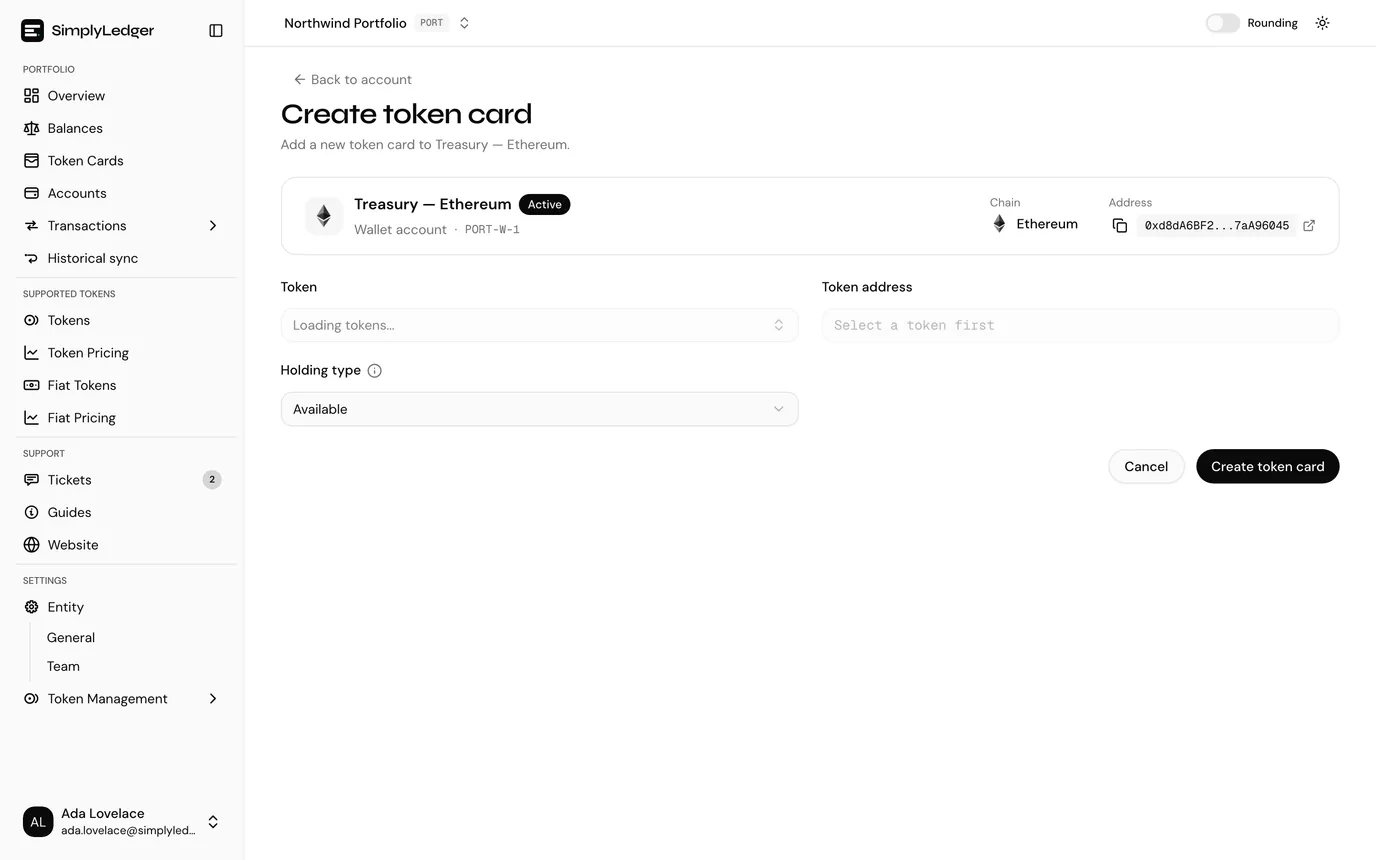
- Check the token cards. On-chain accounts and exchanges get their token cards automatically: one for each tracked token and one for anything else the account already holds, and an on-chain account always gets its chain's native token too. Create one by hand for anything missed, and for custodian and fiat accounts. A token card is one token, in one account, at one holding type, and it is what a balance is tracked on.
- Let the sync run, following it on Historical sync,, then check what arrived under Transactions. Use Request historical txs on the account if activity you expect is missing.
- Read the numbers on Portfolio and Balances.
What the sidebar holds
A portfolio entity has a single-list sidebar rather than the icon rail and panel of an accounting entity (see finding your way around). Its groups, top to bottom:
| Group | Pages | What they are for |
|---|---|---|
| Portfolio | Overview | Portfolio: total value over time, holding types, token distribution, holdings and custodians |
| Balances | Balances per token card on a chosen date, with external balances | |
| Token Cards | The tokens being tracked, one card per token per account per holding type | |
| Accounts | The addresses, exchange connections and bank accounts themselves | |
| Transactions | On-chain history, plus exchange, custodian and fiat history when the entity holds those accounts | |
| Historical sync | The sync queue, and requests to reindex a past date range | |
| Supported Tokens | Tokens, Token Pricing, Fiat Tokens, Fiat Pricing | The token catalogue and its prices |
| Support | Tickets, Guides, Website | Support tickets for this entity, and these guides |
| Settings | Entity (General, Team), Token Management | Settings (owners and admins), and spam tokens, token requests and token address requests |
The entity's home page is Portfolio rather than the entity dashboard: signing in and switching to the entity land there, and the dashboard redirects to it.
What is not there
Opening one of these directly returns you to Portfolio rather than showing an empty screen:
- Posting: overview, pending, discarded, categories and rules
- Posted and grouped transactions
- Reconciliation and reconciliations
- Adjustments
- QuickBooks accounts, journal entries, bills, invoices, suppliers and customers
- Cost basis
- Audit trail
There is no QuickBooks connection either, so the connection indicator in the top bar is absent and nothing is pushed to an accounting system.
Where the shared screens differ
The screens a portfolio entity shares with an accounting one behave the same, bar the places where the ledger would otherwise be involved. Without a ledger there is no book balance, so a portfolio entity shows the current balance read from the chain or exchange instead.
| Screen | Difference |
|---|---|
| Accounts list and account details | No Book balance column or card. The account's Actions menu holds only Request historical txs, on on-chain accounts: transactions cannot be added or uploaded by hand |
| Token cards | Created for you from your tracked tokens. The list has no Book balance or Last recon column and no last recon date filter, but adds a Hide zero value switch |
| Creating a token card | No QuickBooks account field, and no opening balance step. The card starts tracking from today |
| Token card detail | Current balance only, with no opening balance and no posted transactions |
| Entity settings | General and Team pages only: a Portfolio mode card and a Tracked tokens card instead of the QuickBooks and Reconciliation pages |
Settings
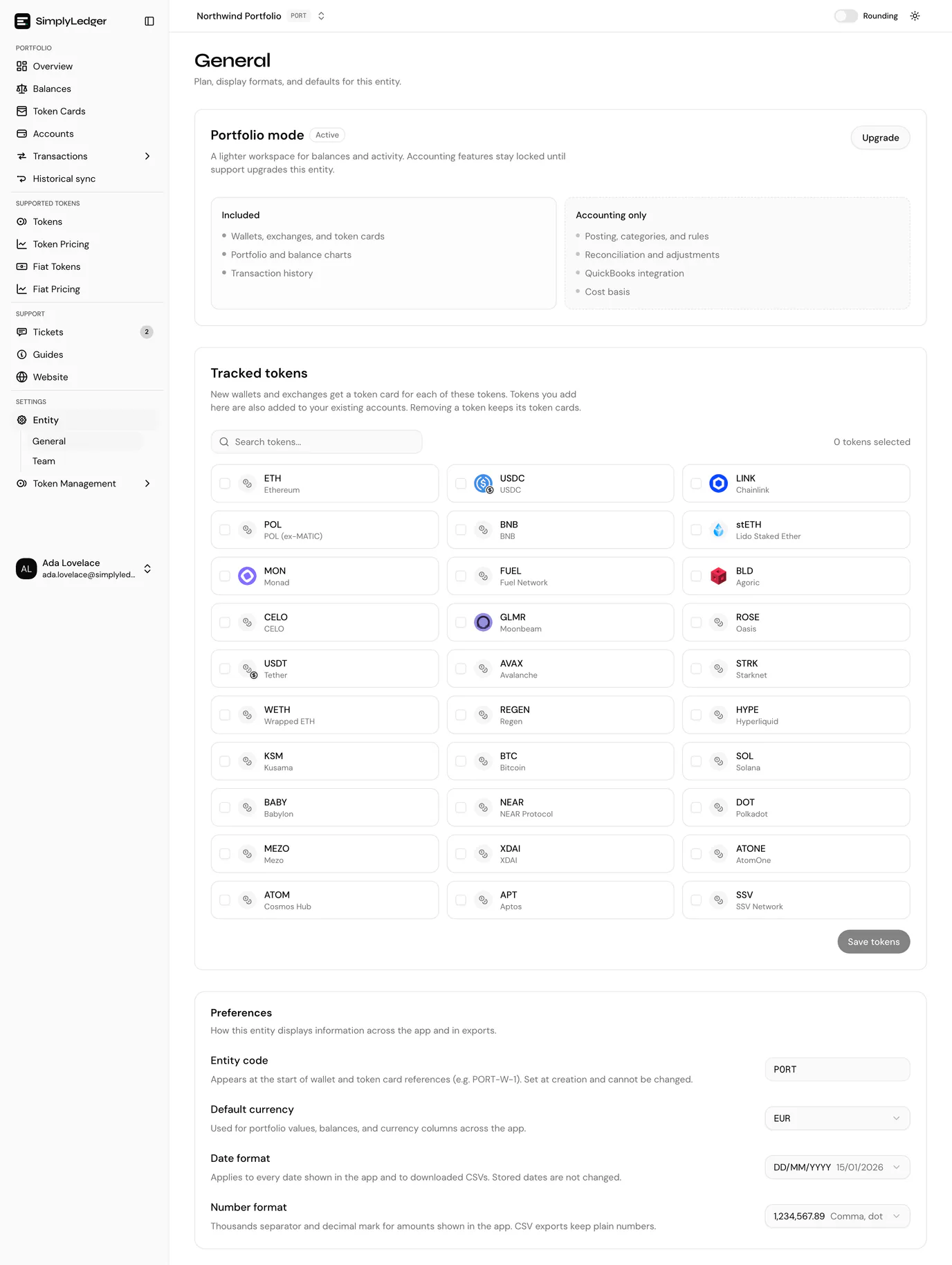
Entity settings has two pages, General and Team, under Settings → Entity, rather than the accounting entity's four.
General has a Portfolio mode card marked Active, listing what is included (wallets, exchanges and token cards; portfolio and balance charts; transaction history) against what is accounting only (posting, categories and rules; reconciliation and adjustments; QuickBooks; cost basis). There is nothing to switch on or off. Below it, Tracked tokens is where you change the tokens new accounts are tracked for, followed by the Preferences card.
Team is the same as in an accounting entity: invite members and set their roles.
Owners and admins only
Entity settings are an owner or admin screen in either mode. Other members are returned to the entity home page.
Upgrading to accounting
You cannot switch the mode yourself. Upgrade, on the Portfolio mode card, opens a support ticket prefilled with the request and the entity name; fill in your reason and send it.
Nothing is lost in the change: an accounting entity keeps everything a portfolio one has and adds the ledger on top. See raising a ticket in context.
Decide before you accumulate history
If you already know the numbers have to end up in a set of books, create the entity as Accounting in the first place rather than upgrading later. The wait for an upgrade is the reason, not any loss of data.
Next
Tracked tokens is the first step, then add an on-chain account. Portfolio overview is what it all feeds.