
Suspense matches
Postings contra'd to the suspense account are deliberately parked: you knew money moved, but not yet what it settles. Suspense matching is how they come back off.
A match links one or more suspense postings to the QuickBooks entity that actually settled them, a payment, a bill payment, a transfer or a journal entry, and then records the difference between what SimplyLedger posted and what QuickBooks says.
Select Accounting in the sidebar's icon rail, then Matching → Suspense Matches. The entry carries a badge with the number of suspense postings still waiting to be matched.
Enabled per entity
This screen only exists when Enable suspense matching is on under Settings → Entity → QuickBooks (see entity settings), and the QuickBooks integration has to be on as well. The page tells you which is missing, with a QuickBooks settings link.
It also needs two accounts on the chart of accounts (QuickBooks → General Ledger → Chart of Accounts): one of type Suspense and one of type Suspense Matches. Without both, the page tells you which to add.
Keeping QuickBooks data current
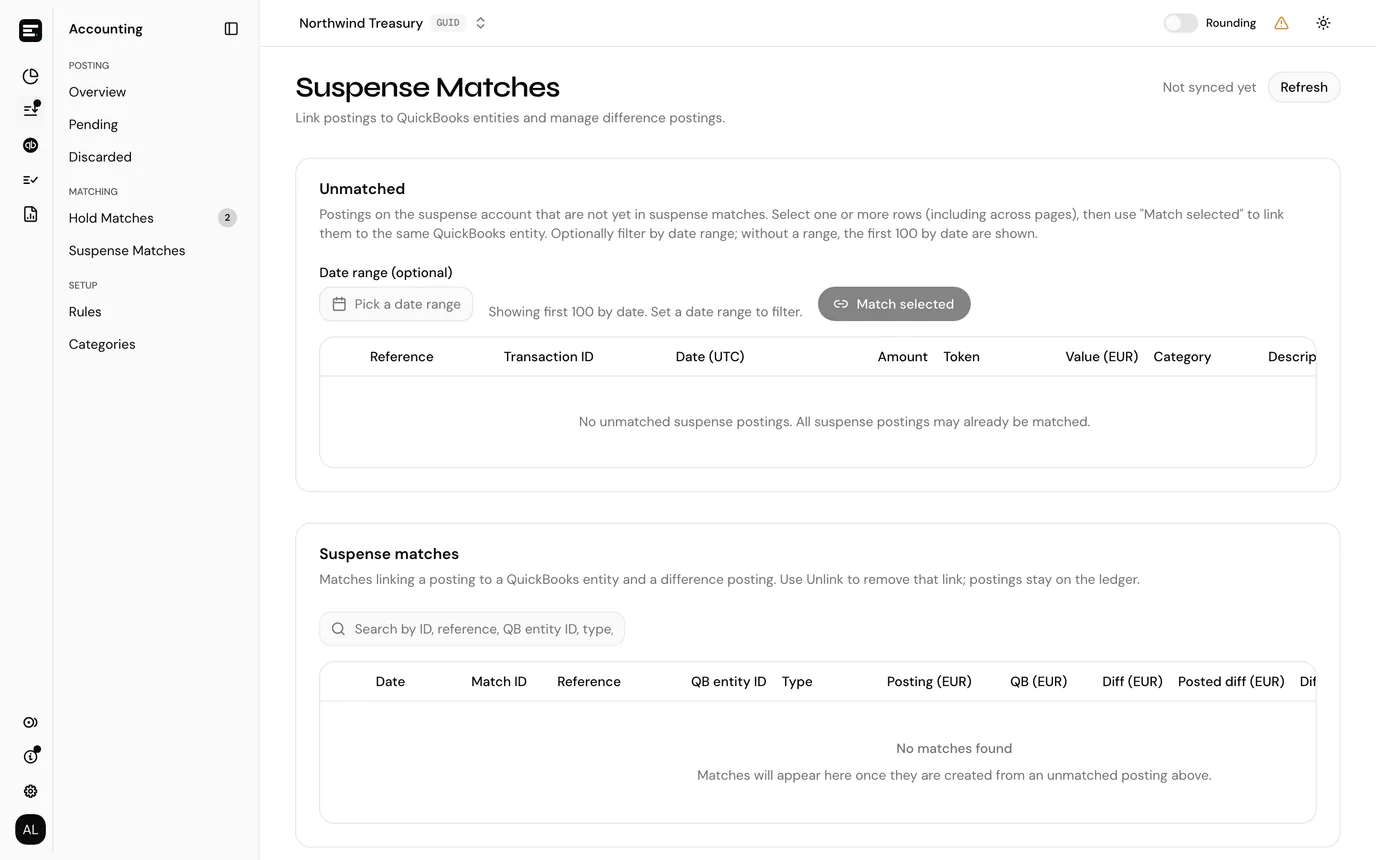
The page works against a cached copy of your QuickBooks entities. The header says how current that copy is, and Refresh pulls it again. Do that when a payment you have just made in QuickBooks is not yet offered as a candidate.
| Header reads | Meaning |
|---|---|
| Last updated ... | How long ago the cache was refreshed. |
| Syncing... | A refresh is running. Refresh shows a spinner until it finishes. |
| Not synced yet | The cache has never been built. Select Refresh once. |
| Last sync failed | Shown in red. The previous refresh errored, and SimplyLedger will not retry on its own. Select Refresh to ask again. |
A failed sync is worth acting on rather than waiting out: until it succeeds, the candidate lists are working from whatever was cached before it, so a payment made since then will not appear no matter how long you leave it.
Unmatched
The first card lists postings on the suspense account that are not yet matched, with posting reference, transaction ID, date, amount, category and description.
Without a date range the first 100 by date are shown, so set a range when you are working through a specific period.
To match:
- Select one or more rows. Selection persists across pages, so a payment that cleared six suspense lines can be assembled a page at a time.
- Select Match selected.
- In Create suspense match, pick the QuickBooks entity these postings correspond to. The list is searchable by ID, date, amount and description.
- Select Create match.
Matching several postings to one entity is the normal case, not an edge case: one transfer or payment in QuickBooks routinely clears several suspense lines.
The candidate shown depends on its type, and each is expanded so you can check it is the right one before committing:
| Type | What is shown |
|---|---|
| QuickBooks journal entry | Transaction date, the suspense line amount, and a summary. |
| QuickBooks bill payment | Transaction date, the supplier, and the bills being paid. |
| QuickBooks payment | Transaction date, the customer, and the invoices being settled. |
| QuickBooks transfer | Transaction date and the transfer's details. |
Bills and invoices only appear when bills and invoices is enabled.
Suspense matches
The second card lists the matches themselves.
| Column | Notes |
|---|---|
| Date | |
| Match ID | The match row's own ID. |
| Posting # | The ledger posting matched. |
| QB entity ID | What it was matched to. |
| Type | Journal entry, bill payment, payment or transfer. |
| Posting | The posting's value in the entity's currency. |
| QB | What QuickBooks says the same movement was worth. |
| Diff | The difference between the two. |
| Diff. post ID | The difference posting, once one has been made. |
| Created |
The search box matches on match ID, posting reference, QB entity ID, type and transaction hash.
Posting the difference
Posting and QB rarely agree to the cent, because the two systems converted at different points. The gap is the Diff.
Where a match has a non-zero difference and no difference posting yet, Post difference is offered. The dialog restates the match rows, posting references, type, category, description and the difference before you commit, and creates one difference posting for the whole match, including every ledger posting in a merged group.
Difference postings book against the Suspense Matches account, which is what that account type exists for. They are visible in posted transactions under Difference postings only.
Revert difference reverses one. As elsewhere, a reverted posting cannot be reverted twice and says Already reverted.
Unlinking
Unlink removes the link between a posting and its QuickBooks entity. The postings stay on the ledger untouched; only the match goes, and the posting returns to Unmatched to be matched against something else.
Common problems
"No QuickBooks entities available". Nothing in the cached QuickBooks data matches. Select Refresh first; if it still comes back empty, the payment or transfer has not been made in QuickBooks yet.
"No unmatched suspense postings." Everything on the suspense account is matched, which is the goal.
No Post difference button. Either the difference is zero, so nothing needs posting, or a difference posting already exists, and its ID is in the Diff. post ID column.
Next
Hold matches is the same idea applied to swaps and bridges, or Posted transactions to see the difference postings this creates.