
Balances
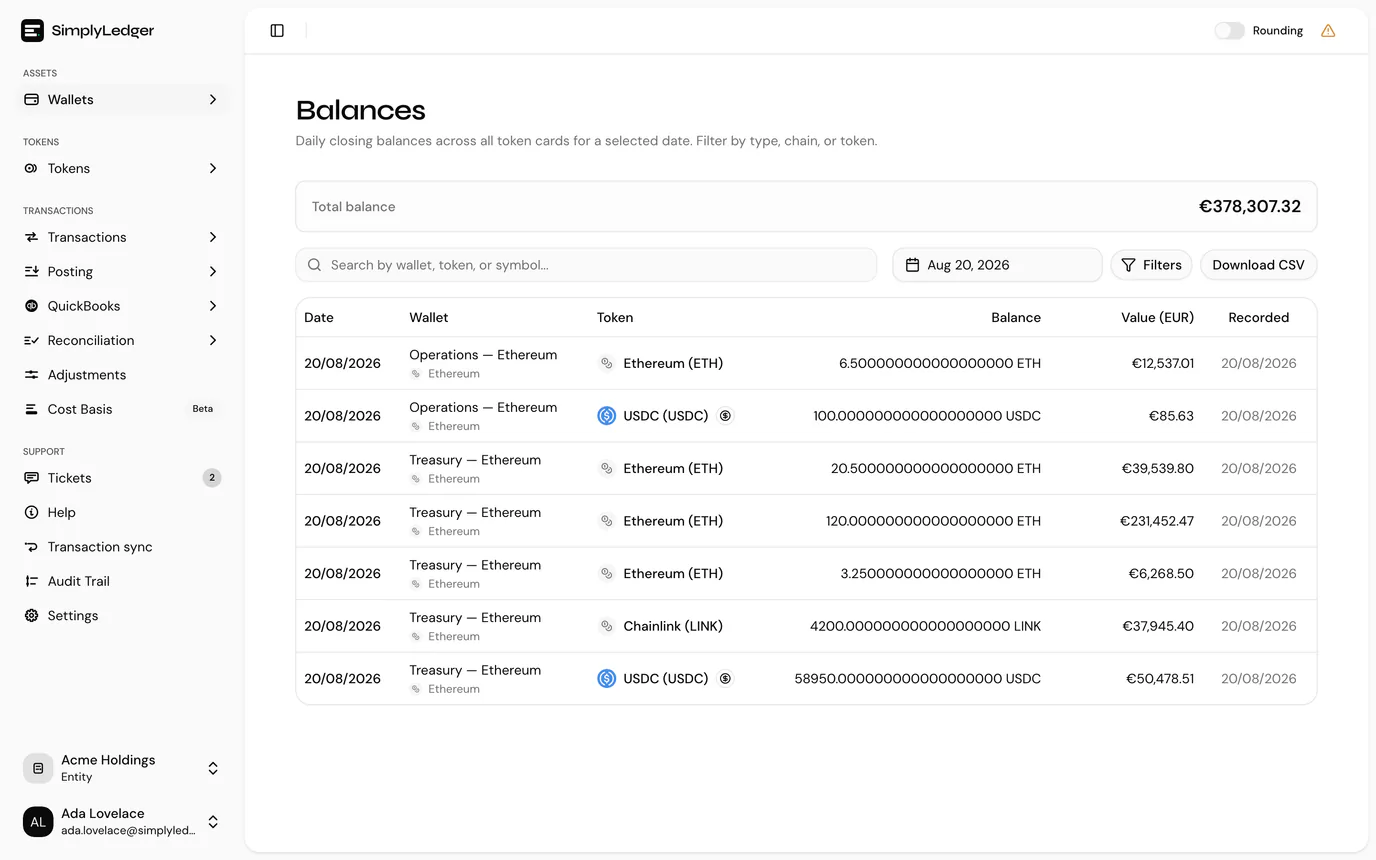
Balances is the daily closing balance of every token card on a date you choose. Where Portfolio answers what do we hold now, this answers what did we hold at the close of that day, which is the question an auditor asks.
Choosing the date
The date picker defaults to yesterday, and later dates are not selectable. Closing balances are recorded once a day has closed, so today has no closing figure yet.
What each row shows
| Column | |
|---|---|
| Date | The closing date the balance belongs to. |
| Wallet | The account holding it: on-chain, exchange, custodian or fiat. |
| Token | The token, with its chain. |
| Balance | The quantity held at the close of that day. |
| Value | Its value in your entity currency. |
| Recorded | When the balance was captured. |
One row per token card, so an account that stakes contributes a row per holding type rather than one combined figure.
Filtering
Filters opens a panel with four, and the button shows how many are active:
| Filter | |
|---|---|
| Type | Wallet (on-chain), Exchange, External wallet (custodian), or Fiat. |
| Chain | One chain. |
| Token | One token. |
| Stablecoins only | Restricts to tokens flagged as stablecoins, the same flag that drives the portfolio split. |
Download CSV exports exactly what the filters and the search box have left, every matching row and not only the current page, so narrow first and export second.
The number of rows shown per page is set at the bottom of the table.
External balances
Some entities have a Get External Balances button. It queues an export for a date you pick and emails the result (CSV and PDF) to the address on your account, rather than downloading in the browser.
Use it for the copy that leaves SimplyLedger: the file an auditor or an external accountant receives. The button appears only on entities configured for it, and needs write access.
How closing balances are collected and entered when they are missing is covered in balance collection.
Empty rows are a balance problem, not a filter problem
A token card missing from a date usually means no closing balance was recorded for it that day. This is the same gap that leaves cards out of a cost basis opening balance suggestion, and it is fixed the same way.
Next
Reconciliation checks these balances against what your postings say you should hold.