
Account tags
Tags are labels you apply to accounts: TREASURY, OPERATIONS, CLIENT-A, whatever grouping your books need. They exist to filter with, on the accounts list, the portfolio and the other pages listed below, so an entity holding thirty accounts can be read a handful at a time.
A tag is a name and a colour. It belongs to the entity, so everybody working in it sees the same set.
Create and edit tags
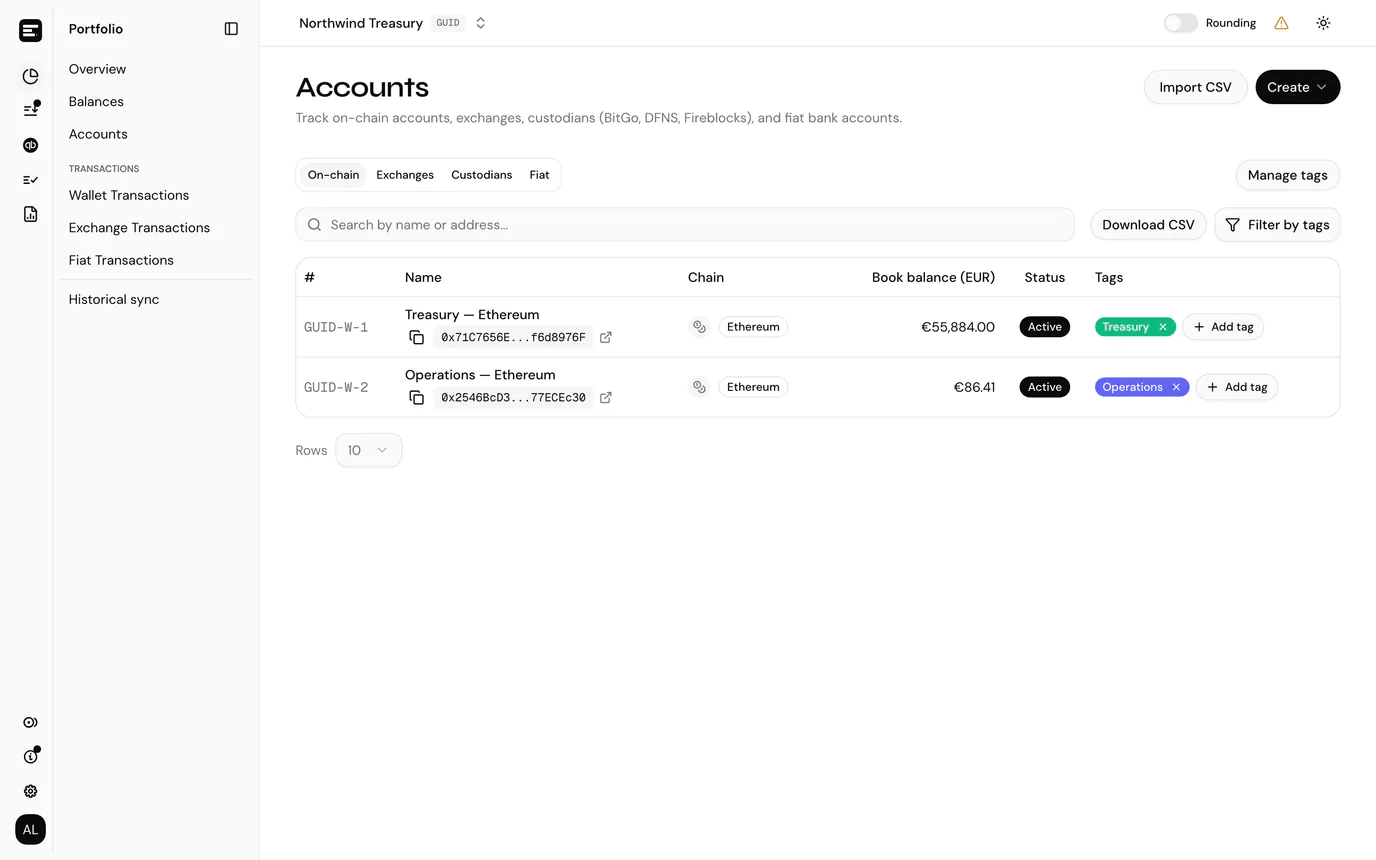
From Accounts, select Manage tags.
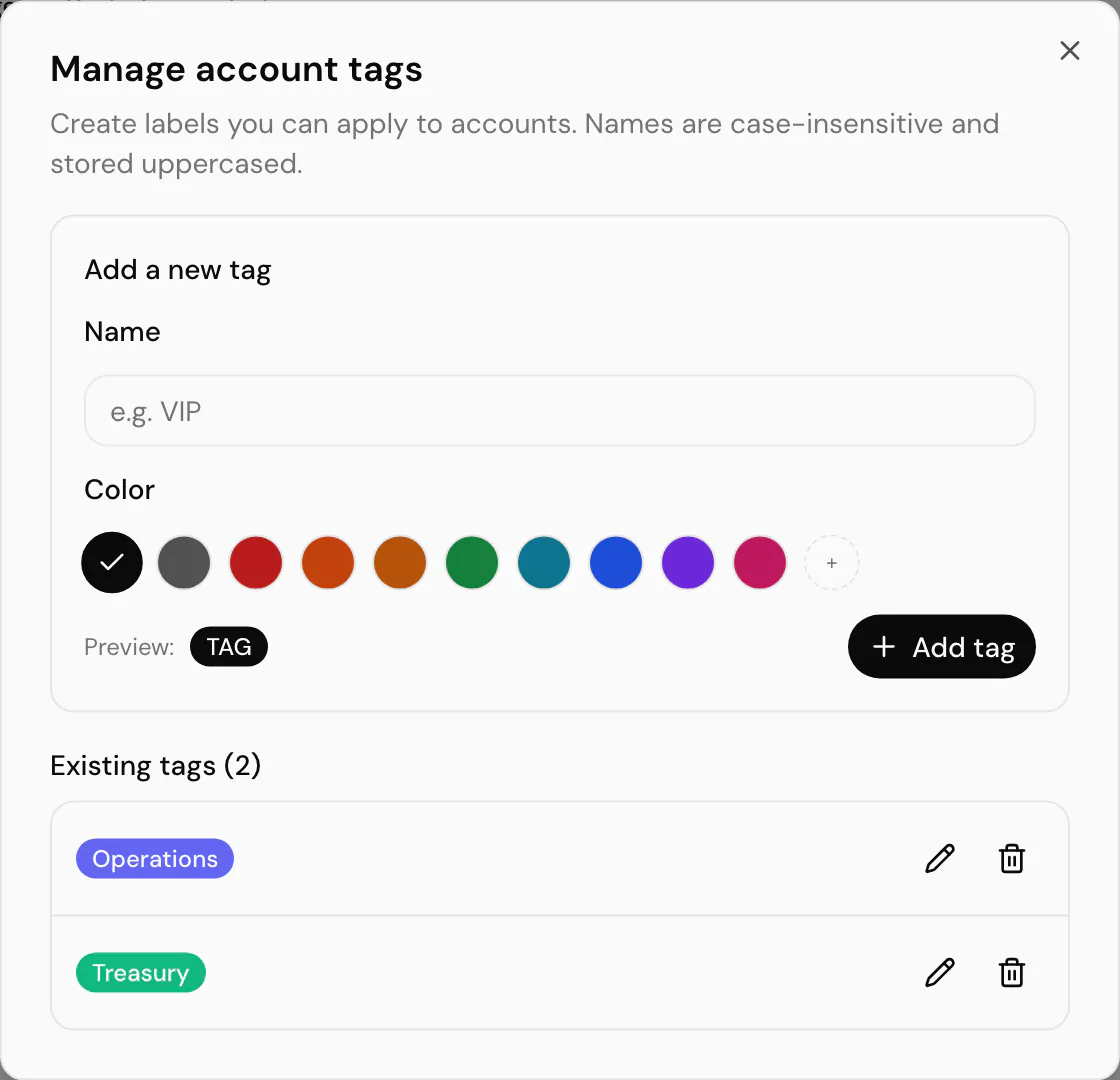
Add a new tag takes a name and a colour, with a live preview of the chip beside the button.
| Field | Notes |
|---|---|
| Name | Case-insensitive and stored uppercased, so treasury and Treasury are the same tag and both display as TREASURY. |
| Color | Ten swatches, or Custom color for any six-digit hex value. The text colour on the chip is chosen automatically for contrast, so a dark swatch gets light lettering. |
Existing tags lists what the entity already has, with a count. Each row can be edited in place, changing the name or the colour, or deleted.
Deleting a tag removes it everywhere
Deleting asks for confirmation because it takes the tag off every account it is assigned to. The accounts themselves are untouched. There is no undo; recreating the tag afterwards leaves it assigned to nothing.
Apply a tag to an account
Tags show in their own column on the accounts list. Select + Add tag on an account's row, then pick from the list. The search box at the top of the picker filters by name, which is quicker than scrolling once you have a few.
Manage tags is also offered at the bottom of that picker, so you can create a tag you find you are missing without leaving the row.
To remove a tag, select the ✕ on its chip. That unassigns it from this account only; the tag itself stays available.
An account takes at most five tags. At the cap the Add tag button is disabled and explains why on hover.
Filter by tag
Filter by tags sits above the accounts list and again on the portfolio. Select the chips you want; the button then reads Tags · 2 so an active filter is visible without opening it, and Clear removes them all.
Selections are combined with or: an account is shown when it carries any of the selected tags, not all of them. Filtering by TREASURY and OPERATIONS gives you both groups together.
On the portfolio the filter reaches the totals as well as the list, so tagging is also how you value a subset of the entity, for instance everything held for one client.
The same tag filter, in a Tags field reading All tags until you pick some, also narrows:
- the token cards list (Balance Sheet in an accounting entity), from its Filters panel;
- the posting overview and a whole-chain search on pending transactions;
- creating reconciliations, to list the token cards of tagged accounts, on their own or within a chain, and the list of all reconciliations.
It matches the same way everywhere: an account carrying any of the picked tags.
Read-only roles can filter
Viewers and guests see tags and can filter by them. Creating, editing, assigning and deleting need write access. See roles and permissions.
Common problems
"Name is required" or "Pick a valid color". The name cannot be blank, and a custom colour has to be a full six-digit hex value such as #15803D. Three-digit shorthand is rejected.
The tag will not add to an account. Check the account is not already at five tags.
A tag disappeared from an account. Somebody deleted the tag itself under Manage tags, which removes it from every account at once. The audit trail does not cover account tags, so ask the team.
Next
Portfolio overview, where the same filter narrows your totals as well as the list.