
Adjustments
Adjustments record entries that do not come from an account's own transactions, most commonly foreign-exchange revaluations against reconciled balances.
Select Reconcile in the sidebar's icon rail, then Adjustments.
Adjustments are enabled per entity. If you cannot see the section, an admin can switch it on with Enable adjustments under Settings → Entity → Reconciliation. See entity settings.
Set up a forex account first
Adjustments post against a forex account. Until one is configured the page tells you No forex account set up and there is nothing to stage.
This is a one-time setup per entity, and it needs an admin or owner.
Stage and post
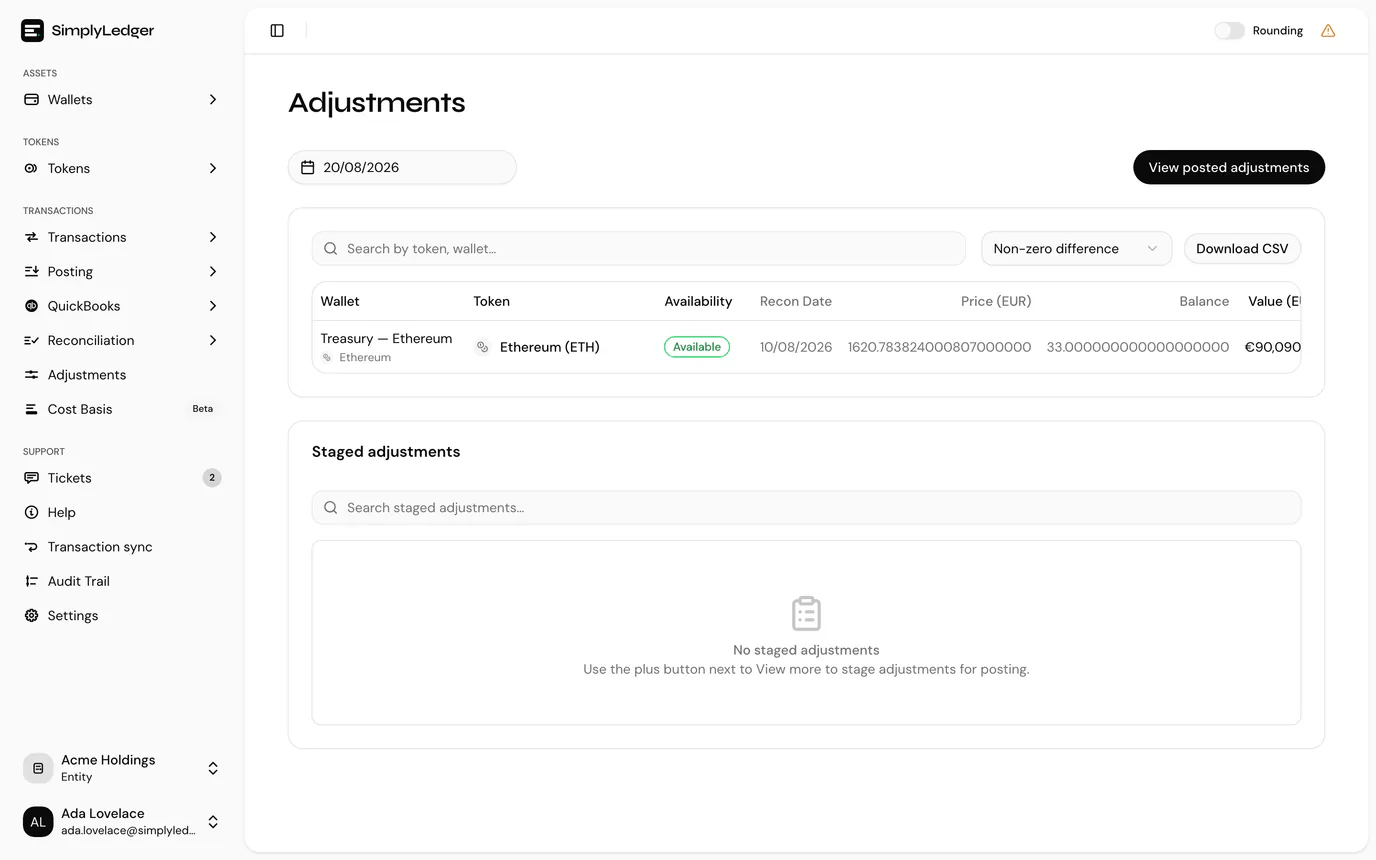
- Choose a date. The page lists token cards reconciled as at that date. Without a date there is nothing to show.
- Stage the cards you want to adjust. As with posting, staging is a basket; nothing is committed yet.
- Post all to commit the staged adjustments together.
Once posted, View posted adjustments opens the resulting entries under posted transactions.
Narrowing and exporting
The list shows Non-zero difference cards by default, since a card with no difference has nothing to adjust. Switch the filter to Zero difference or All differences to see the rest, and use the search box to find a token or account.
Download CSV exports exactly the rows on screen: the difference filter and the search are both applied.
View more on a card opens, in a new tab, its Reconciliation summary and Transaction ledger, the postings behind the figure with a running balance. The ledger has its own search and Download CSV, which likewise exports only the rows the search leaves.
Reconcile first
Adjustments work from reconciled token cards at a date. If a card you expect is missing, it has not been reconciled to that date yet, so do the reconciliation first.
Next
Posted adjustments push to QuickBooks like any other entry. See journal entries for what reaches your accounting system.