
Discarded transactions
Discarding takes a transaction out of the pending queue without posting it. It is for rows that are real but have no place in your books: dust, spam airdrops, a test transfer between your own accounts.
Discarding is available for on-chain, exchange and custodian wallets. Fiat statement lines are imported rather than synced, so they are not discarded from this page.
Discarded rows are not deleted. They sit on this page and can be restored to pending at any time.
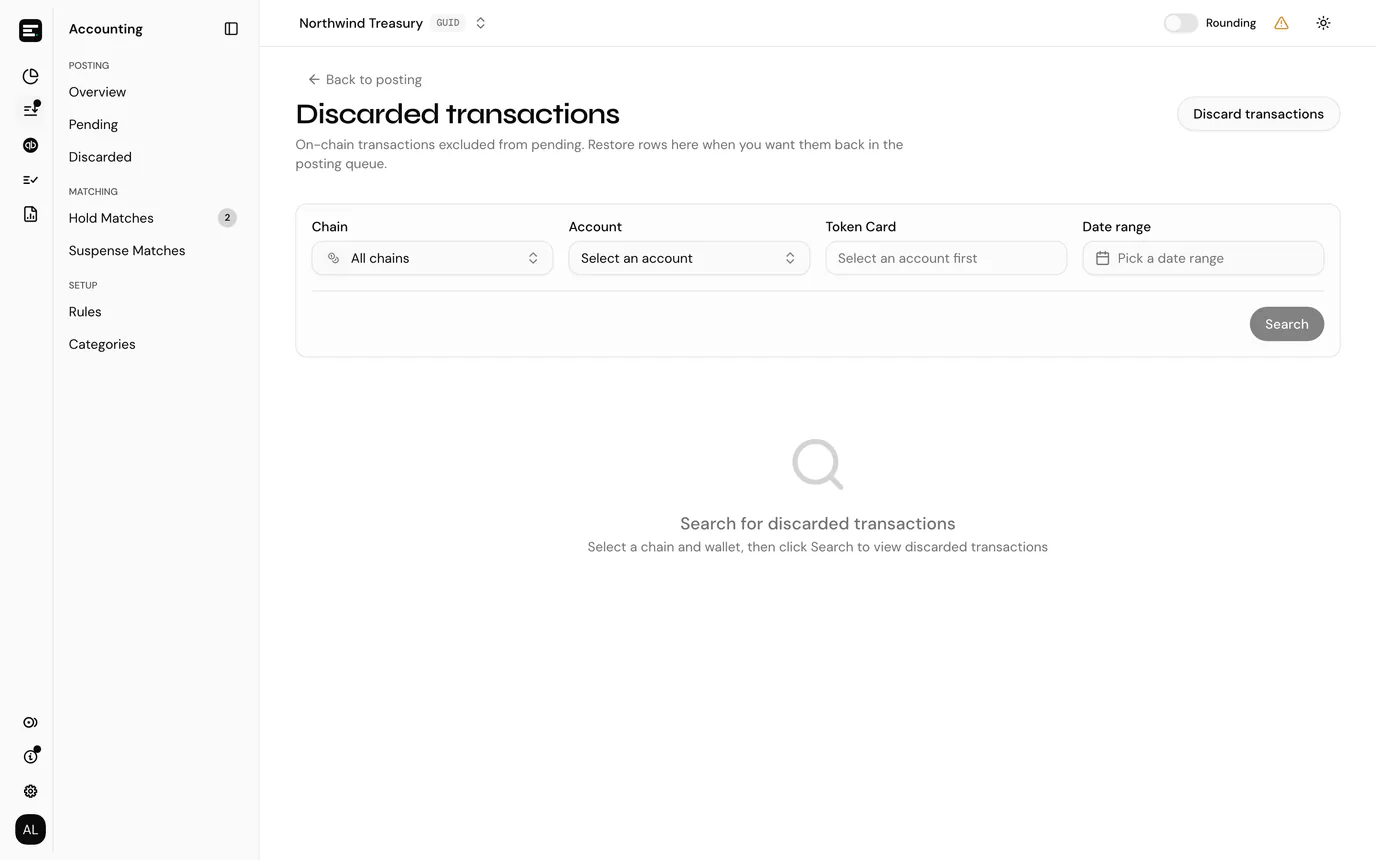
Select Accounting in the sidebar's icon rail, then Posting → Discarded, or use Discarded transactions in the Actions menu on the posting overview. Back to posting returns you to the overview.
Discarding a transaction
On the pending list, select Discard (the red circle with a line through it) at the end of the row, then confirm Mark as discarded. It disappears from pending immediately.
The action is unavailable on transactions missing an indexer ID or a token card; hovering the icon says so. A transaction with no token card has not been resolved yet, so set the card up first and then decide whether to post or discard.
Discarding a whole date range
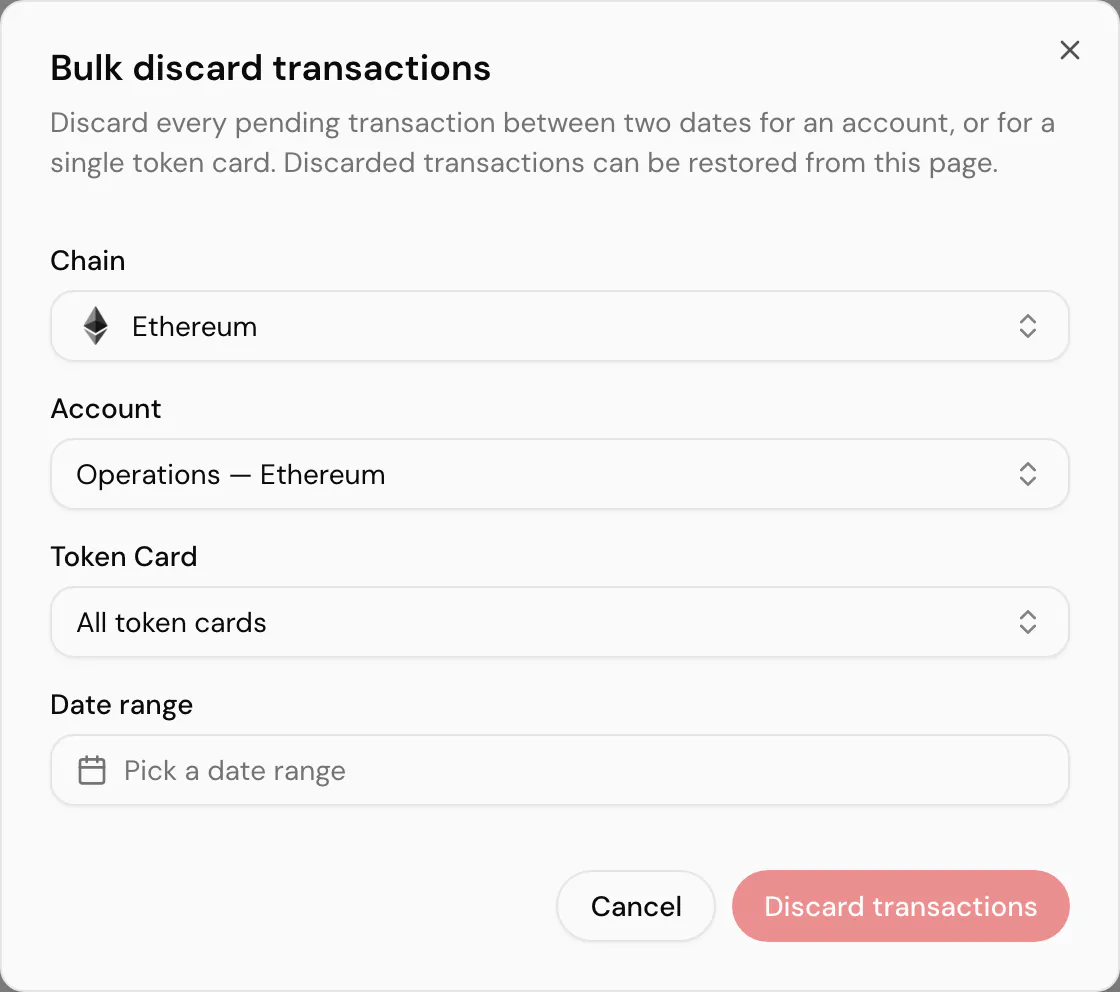
Dust and spam arrive in runs, not one at a time. Discard transactions in the page header takes out everything pending for an account, or for a single token card, between two dates.
| Field | Notes |
|---|---|
| Chain and Token | Filters, not scope. They narrow the two pickers below and do not decide what is discarded. |
| Account | What is discarded. On-chain, exchange and custodian accounts only, for the same reason the page as a whole excludes fiat. |
| Token card | All token cards by default, which takes every card on the account. Narrowing it to one card is the usual case: an airdropped token you never want to see again. |
| Date range | Both ends inclusive. Days after today are disabled. |
Discard transactions then moves everything pending in that window. What comes back depends on what it found:
| Outcome | What it means |
|---|---|
| Discarded 47 transaction(s). | Done, and the dialog closes. |
| No pending transactions found in this date range. | Nothing was pending there. Check the account and widen the range. |
| Discarded 40 transaction(s); 7 could not be discarded. | The dialog stays open with the count. The seven are the rows a single discard would also refuse: no indexer ID, or no token card resolved yet. |
Everything it moves lands on this page and can be restored row by row, the same as a single discard. There is no bulk restore, which is the asymmetry to keep in mind before picking a wide range: discarding a year takes one action, changing your mind takes as many actions as there were rows.
Finding a discarded transaction
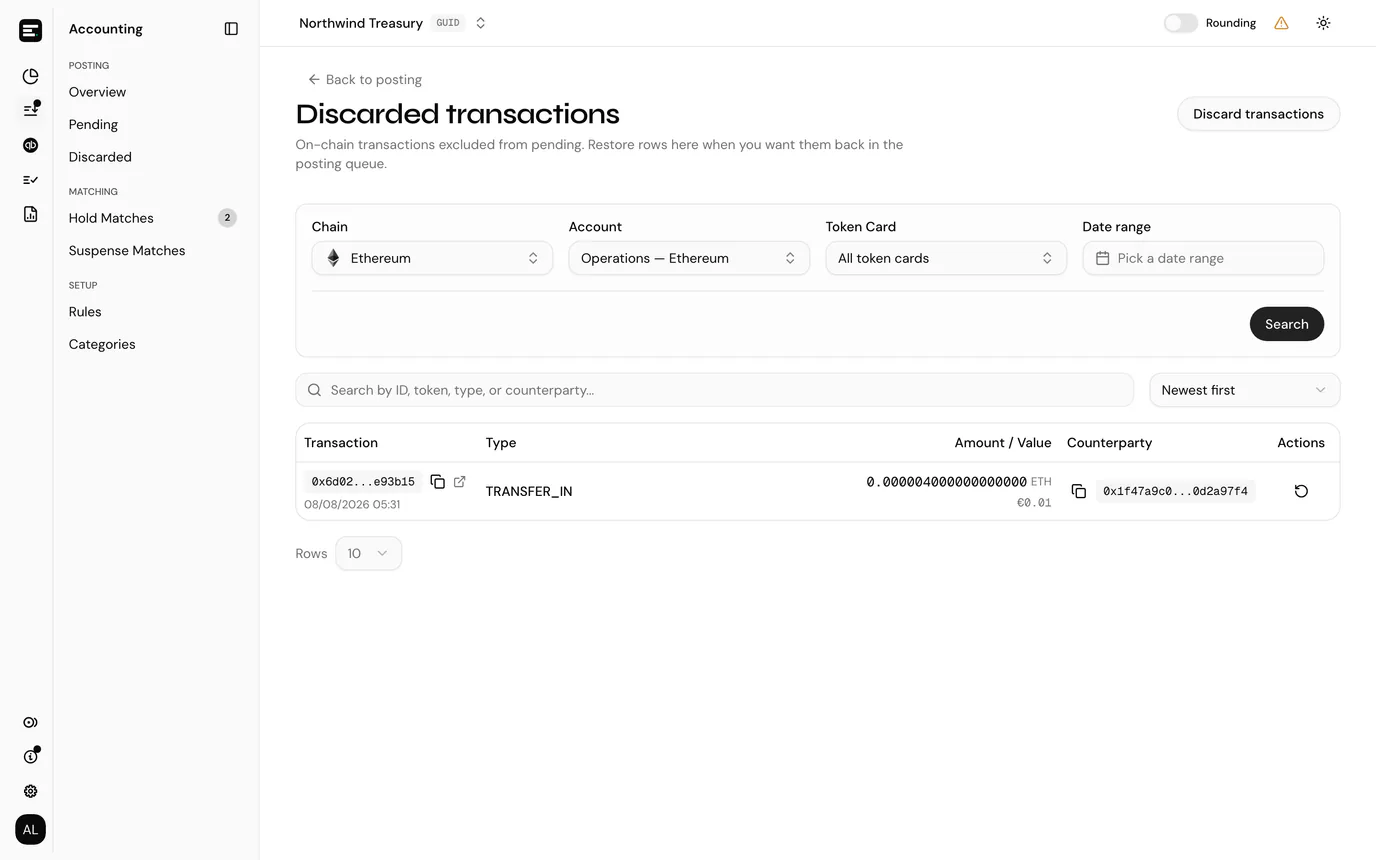
Unlike most lists, this one does not load until you ask it to. Choose a chain and account, optionally a token card and a date range, then select Search.
That is deliberate: discarded rows accumulate and are only ever looked at per account.
The table uses the same stacked columns as the pending table:
| Column | Notes |
|---|---|
| Transaction | The transaction ID, with its date underneath. On-chain rows link to the block explorer. |
| Type | The transaction type, where one was resolved. On a fiat account this is Description / Type. |
| Amount / Value | The amount with its token symbol, and underneath it the value in the entity's currency at the time. |
| Counterparty | The other address, abbreviated. |
The search box above the table filters the loaded rows by ID, token, type or counterparty, and the Sort by menu beside it orders them by date, amount, value or type.
Restoring
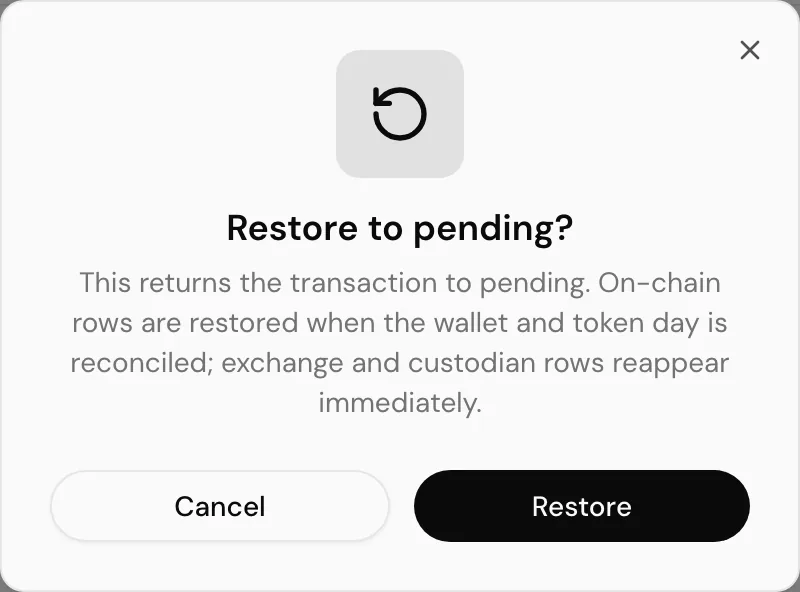
Restore on a row puts the transaction back in the pending queue, after a confirmation.
Discarding moves the transaction out of the posting queue and into this list; restoring moves it back. Neither touches its entry under Transactions, which lists the indexed history whatever you decided to do with it in the books.
Restoring is not always immediate
A restored transaction reappears in pending once the account and token day it belongs to is reconciled on chain. If it does not show up straight away, that is why: the restore itself still succeeds, and the row is taken out of the discarded list, with the unreconciled day reported back to you so you know what it is waiting on.
A transaction that cannot be restored, because its indexer ID is missing, says so rather than failing silently.
Common problems
"No excluded transactions match your filters for this wallet." Nothing was discarded for that account in that range. Widen the date range, or check you picked the right account.
The page is empty with a magnifying glass. You have not searched yet. Pick an account and select Search.
Next
Post a transaction for the queue these rows came out of.