
Connect a custodian
A custodian account is an on-chain address held at a third-party provider rather than in your own wallet. SimplyLedger connects to BitGo, DFNS and Fireblocks, stores one credential per provider, and auto-discovers the wallets that credential can see. Each discovered wallet appears under the Custodians tab of the accounts list, with its own address and chain.
This is different from connecting an exchange: an exchange connection creates one account you name yourself. A custodian connection creates one credential and then imports as many wallets as the provider returns.
Balances and transactions are not available the moment you connect. They fill in through daily background jobs after the credential is saved.
Pick the provider
From Accounts, select Create, then Custodian. The same button offers On-chain, Exchange and Fiat account.
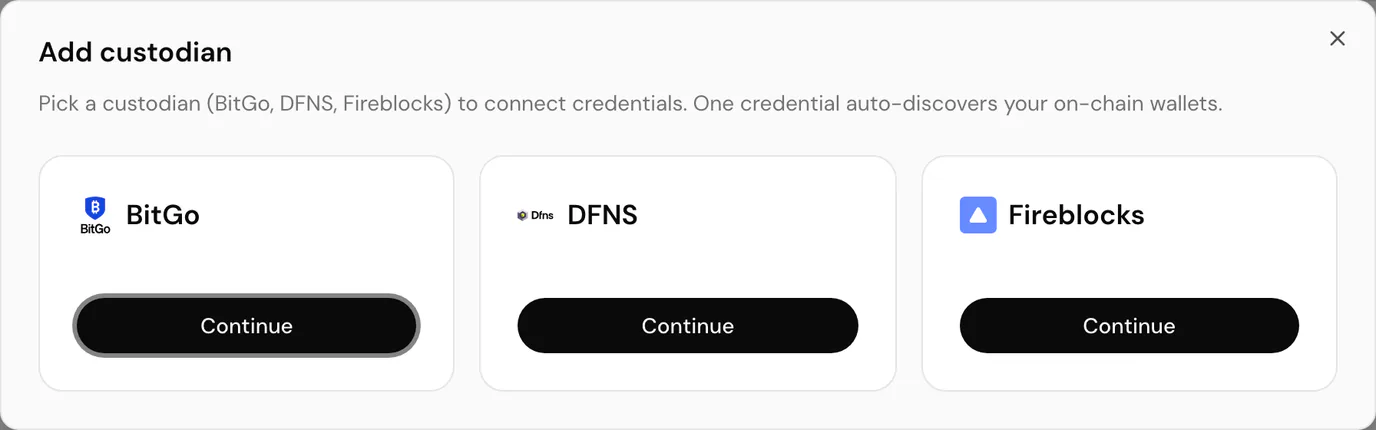
Choose BitGo, DFNS or Fireblocks and select Continue.
Enter your credentials
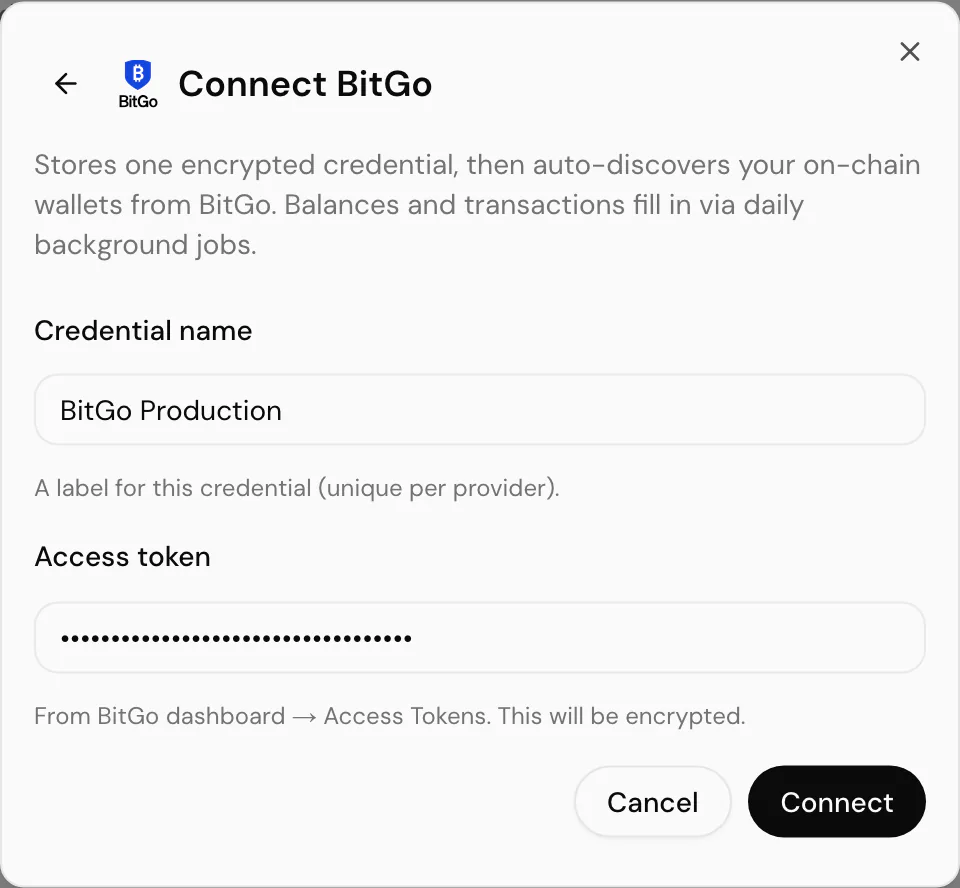
Every provider asks for a Credential name: a label unique within that provider for this entity, such as BitGo Production. The rest depends on which custodian you picked:
| Provider | Fields | Notes |
|---|---|---|
| BitGo | Access token | From BitGo dashboard → Access Tokens. The only secret BitGo needs. |
| DFNS | Auth token, optional Application ID | A Service Account or PAT token with read access to wallets. Application ID is sent only when your org requires it. |
| Fireblocks | API key, API secret (RSA private key) | The API user UUID from Fireblocks console → Developer Center → API Keys, and the PEM private key paired with it. Paste the full key, including the BEGIN/END lines. |
Select Connect to finish. SimplyLedger encrypts the credential at rest and calls the provider to discover wallets.
| Outcome | What it means |
|---|---|
| Connected · N wallet(s) imported | Discovery succeeded and N wallets were added to the Custodians tab. |
| Connected · no wallets found yet | The credential was saved but nothing mapped to a supported chain. Try Sync wallets on the integration page. |
| Rejected on save | Discovery failed before anything was stored, most often a bad or expired token. Fix the credential and try again; a failed attempt does not leave a half-connected row. |
Wallet names come from the provider, not from anything you type here.
What gets discovered
- Each on-chain wallet the credential can read becomes one account, with the address and chain SimplyLedger could resolve.
- Unsupported chains are skipped silently, so the count can be lower than the number of wallets in the provider console.
- Fireblocks imports one wallet per vault account per blockchain it holds assets on, so one vault can yield several accounts.
- Only the BitGo off-chain Go Account wallet supports an Orders and Trades tab. DFNS and Fireblocks wallets, and on-chain BitGo wallets, do not.
Discovered accounts behave like other on-chain accounts for token cards, posting and reconciliation. Their activity appears under custodian transactions.
Managing credentials afterwards
Each provider has its own page under Integrations (BitGo, DFNS and Fireblocks), where you can Sync wallets to adopt newly-added addresses, or delete a credential. See custodian integrations.
Deleting a credential stops syncing. The discovered accounts and everything already imported stay in your ledger.
Common problems
The token is rejected on save. Check you pasted the right kind of secret for the provider, that a Fireblocks PEM is complete, and that a DFNS token has not expired.
It connected but balances are empty. Balances and transactions arrive through daily jobs, not at connect time. Give it until the next collection run.
A wallet I expect is missing. It may be on a chain SimplyLedger does not support yet, or it was added after connect. Open the provider's integration page and select Sync wallets.
Orders tab is missing. Only wallets with supports_orders show it. Today that means a BitGo Go Account, not DFNS or Fireblocks and not an on-chain BitGo wallet.
Next
Custodian transactions for the activity those accounts import, or token cards to set up what each one holds.