
The posting overview
Posting is the first screen of the posting workflow, and it is a worklist rather than a report. It groups everything waiting on you by chain → account → token, and shows two different kinds of blockage alongside the work itself.
Open it by selecting Accounting in the sidebar's icon rail, then Posting → Overview.
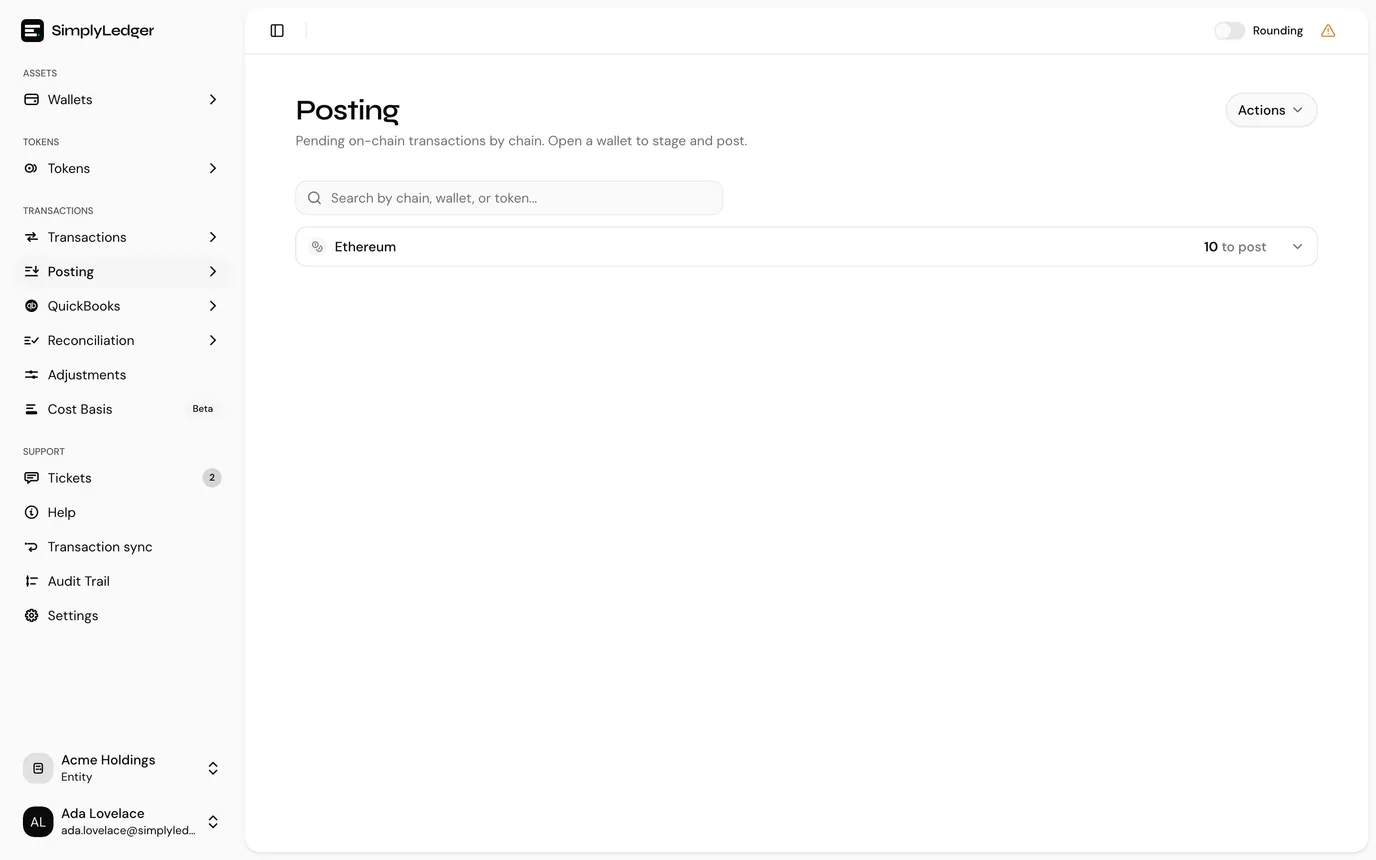
Expand a chain to see its accounts, and an account to see its tokens. Each token row carries a count and a Post button that opens the pending transactions filtered to that account and token.
The search box above the list finds a chain, account or token by name. Beside it, the All tags picker narrows the list to accounts carrying any of the account tags you pick, so a team that splits work by tag sees only its own accounts. With tags picked, the chain and account counts cover the tagged accounts only. Clear the tags to see everything again.
Each account row shows the account's address underneath its name, with a copy button beside it, and the name itself opens the account page in a new tab. Token rows have the same copy button for the token's contract address.
The Actions menu in the page header goes to Pending transactions and Discarded transactions, offers Request historical txs to backfill an account, and View queue status opens historical sync.
Reading the icons
Two icons appear on chain and account rows, and they mean different things:
| Icon | Meaning |
|---|---|
| Wrench | Setup issues: a token, address or card is missing, so those transactions cannot be posted. Expand for details. |
| Calendar with arrows | Unreconciled on-chain days: some days are being withheld. Expand for the dates. |
Hover either icon for a short explanation.
The count on each row is postable transactions only. Anything blocked by a setup issue, or withheld as unreconciled, is not in that number, which is why an account can show 0 transactions and still have plenty to deal with.
Unreconciled on-chain days
An account with the calendar icon has UTC days where SimplyLedger's indexed data has not reconciled against the chain. Rather than offer you rows it is not confident in, it withholds them: pending rows on these UTC days are omitted until reconciliation completes.
The dates are listed as badges. Consecutive days collapse into a range, and the grouping tells you what is affected:
- Dates shown on their own are the chain's native token.
- Dates grouped against a contract address affect that token only.
Requesting a re-index
Request Attention queues a reconciliation sync for exactly the tokens and days listed, nothing wider. The request goes to the indexer, which re-indexes those account, token and day combinations from the chain.
What happens then:
- The panel confirms Reconciliation sync queued.
- A Queue status line appears and updates as the job moves through pending → processing → done or failed. The button is hidden while the job is in flight, so it cannot be queued twice.
- On success you get Reconciliation sync completed, and the overview refreshes itself. Days that now reconcile disappear and their transactions become postable.
- On failure the error message is shown both in a notification and on the Queue status line, and the button comes back so you can request it again.
The same job also appears on the historical sync page as a Reconciliation row, which is where to watch it if you navigate away from the overview.
Two buttons, same words
Request Attention here queues a re-index. Request attention on the historical sync page, on a failed historical job, raises a support ticket instead. Same wording, different actions. The one on this page is self-service and does not involve support.
If a re-index runs, succeeds, and the days are still listed, that is the point to raise a ticket.
Setup issues
The wrench breaks into three states, and they are a sequence rather than three unrelated problems. A token needs to exist; it needs an address on this chain; the account needs a card for it. Each is only reachable once the one before it is resolved.
Missing tokens
SimplyLedger has no record of this token at all: only the symbol and contract address seen in the transaction.
The only question asked is Mark as spam?
- Yes files it as spam. The transactions drop out of the queue and out of reports, reversibly. See spam tokens.
- No takes it forward as a real token, to be added and approved.
Most unrecognised tokens arriving in a treasury account are airdropped junk, so this is usually a fast pass. Answer honestly rather than quickly, though: marking a real token as spam hides activity you will later have to dig back out.
Missing token addresses
The token exists, but has no address on this chain. The row says so directly: token exists but no address for this chain. A bridged token that you already hold on Ethereum will land here the first time it appears on another chain.
- Create token address opens the address form for that chain, where Get decimals reads the exponent off the chain rather than leaving you to type it.
- Select token appears instead when the symbol did not match a known token, so you can point the address at the right one first.
- Mark as spam? is offered here too, for the same reason as above.
Getting the exponent wrong here produces amounts wrong by orders of magnitude, so let the app fetch it. See tokens and addresses.
Missing token cards
Token and address both exist; this account just has no token card for it. This is the most common of the three and the least ambiguous.
Create token card opens the card form with the token already filled in. Once the card exists, those transactions become postable and move into the account's count.
Spam excluded
Below the three, a line reads Spam (excluded): N. It is there so filtered transactions are visible as a number rather than silently absent. If an account seems short of activity, check this before assuming a sync problem.
Who can resolve these
Every action above needs write access to the entity. Viewers see the issues listed without the buttons. See roles and permissions.
The same three setup states are also listed above the pending table, under Token setup needed, once you search an account or chain there. See post a transaction.
Next
With the blockages cleared, post a transaction covers staging and posting the work itself.