
Balance collection
A closing balance is how much of a token a token card held at the end of a calendar day. Reconciliation compares your posted ledger to that figure; balances lists every card's closing balance for a chosen date; the portfolio charts read from the same data.
This page is about how those figures arrive, and what to do when they have not.
Where balances are recorded
| Place | What it shows |
|---|---|
| Balances | Every token card's closing balance on one date, filterable and exportable. |
| Token card detail → Daily balances | One card's balance day by day. |
| Reconciliation | The Actual closing balance for the period you are closing. |
Nothing on the entity-wide Balances page writes a balance. Collection always happens on a token card, on a reconciliation, or through a background job, including a balance sync you queue from historical sync.
On-chain token cards
For an on-chain account, daily balances are filled by the platform's balance collector. On the token card's Daily balances table:
Get Historical Balances queues a backfill for a date range through yesterday (UTC), up to three months at a time. Use it when a card was added recently and you need figures for dates before it existed in SimplyLedger.
Balances on the historical sync page does the same for many cards at once: every token card on the accounts you pick, or on every on-chain account, over up to 12 months. Use it when a whole account or entity is missing a stretch of closing balances.
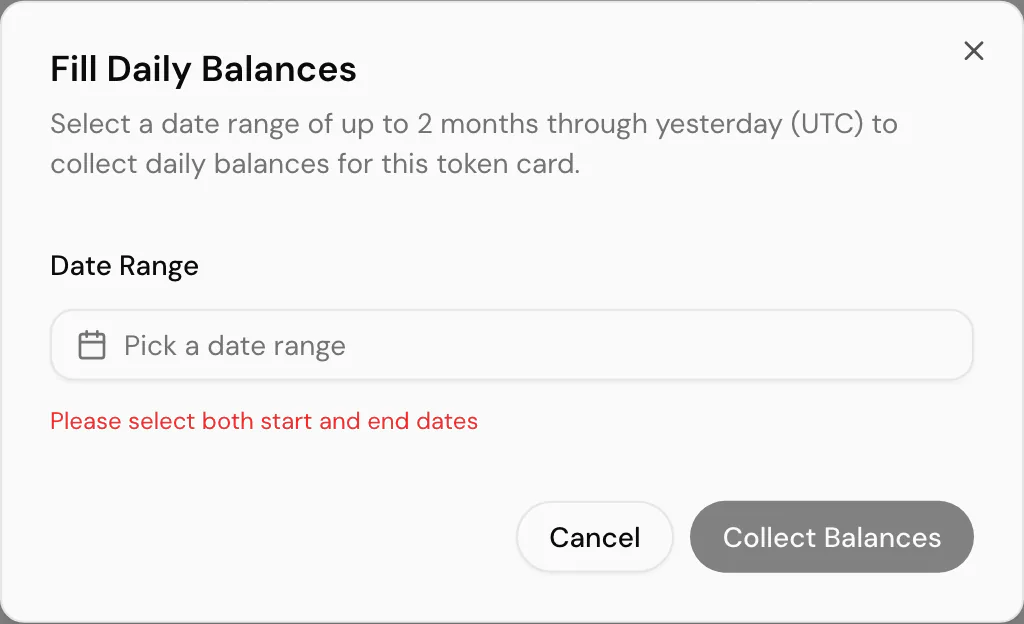
The range cannot include today, as there is no closing figure for a day that has not ended yet.
Fetch balance on the create token card form (only on chains that can serve a past-date balance) and on an open reconciliation reads the chain for a single date. That is a one-off read, not a stored history row, but it is the fastest way to confirm what the chain holds right now.
Custodian wallets discovered from BitGo, DFNS or Fireblocks are not on-chain accounts in this sense: they do not offer Get Historical Balances. Their balances arrive through the provider's daily sync instead.
When historical collection is not offered
Both buttons (Get Historical Balances here, and Fetch balance or Refetch balance on a reconciliation) follow one rule: they appear only where SimplyLedger can read that card's balance back from a chain for a past date. They are hidden, rather than shown and then failing, when the card is:
| Card | Why not |
|---|---|
| Exchange, fiat or custodian | There is no chain to query. The balance comes from the venue, the statement, or the provider's sync. |
| Delegated on a chain that does not report staked balances that way | The staked figure is not readable per address on that chain. |
| Delegated with no delegation protocol set | The stake is held by a protocol, and SimplyLedger has not been told which. Set it on the card and collection becomes available. |
| On a chain with no archive access configured | Reading a past date needs an archive node. Without one, only today's balance can be read, which is not what a closing balance is. |
The last of those is a platform configuration, not something in your entity, so if a chain you use is missing historical collection, that is one to raise with support, and the API says as much ("Historical balance is not supported for this wallet or chain. Please contact support.") if a request reaches it anyway.
In every one of these cases Add Manual Balance is still there, and is how the closing figure gets in.
Exchange, fiat and manual entry
Exchange and fiat token cards have no chain to read, so Get Historical Balances is not offered on them, nor on the cards listed under when historical collection is not offered.
When a figure has to be entered by hand (an exchange balance you looked up yourself, or a bank statement total for reconciliation), use Add Manual Balance on the token card's Daily balances table:
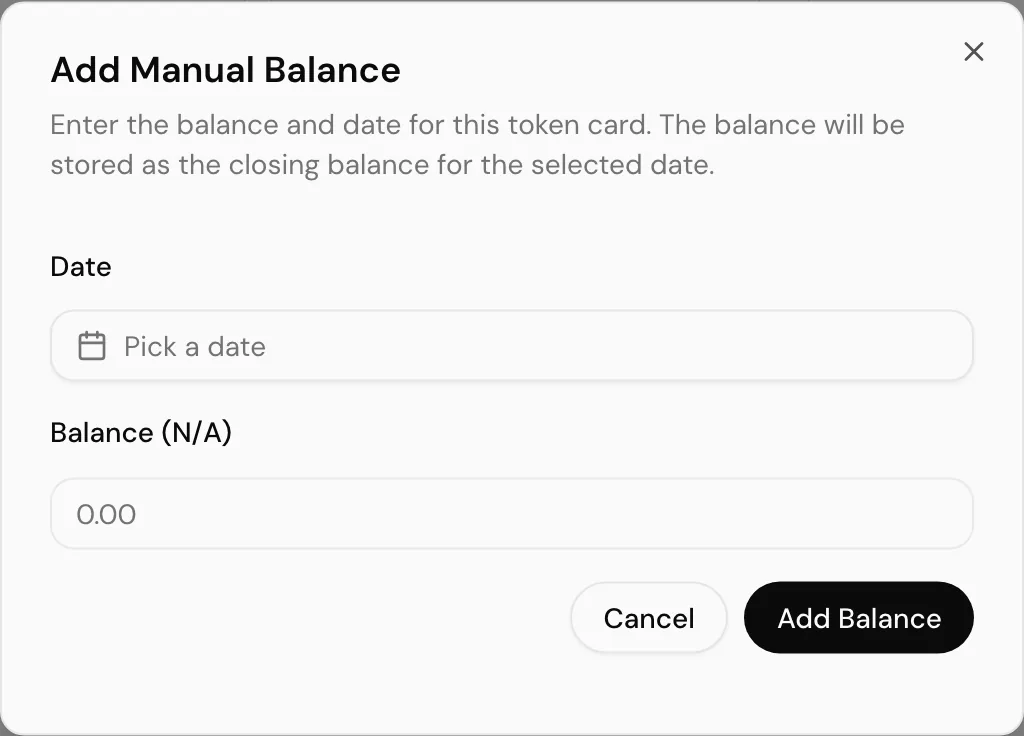
Pick the date and the balance as at the close of that day. The row is stored as that card's closing balance for the date, the same as a collected on-chain figure would be.
The same manual path is offered on reconciliation when no collected balance exists for the closing date, and from cost basis opening balances when a suggestion cannot be fetched automatically.
Entity-wide export
Some entities have Get External Balances on the Balances page. It emails a CSV and PDF for a date you pick rather than downloading in the browser: the copy meant for an auditor or external accountant. The button appears only when the entity is configured for it.
Common problems
Daily balances is empty on an on-chain card. Either nothing has been collected yet, or the range you are looking at predates the account. Run Get Historical Balances for the missing window.
Daily balances is empty on a delegated card. Check the card's delegation protocol is set. Without one, there is nowhere to read the staked balance from, and the card shows Protocol needed in the Token Cards list.
Fetch balance on reconciliation returns nothing. The chain may not have been indexed for that date, or the card's token address does not match what the collector expects. Enter the figure manually or collect the range on the token card first.
Fetch balance is not on the reconciliation at all. The card is one of those that cannot be read back from a chain. See when historical collection is not offered, and use Add manual balance.
Balances and reconciliation disagree. They should read from the same stored rows. If they do not, check you are comparing the same UTC date and the same holding type card.
Next
Token card detail for the page where daily balances live, or reconciliation for using a closing balance at period end.