
Create bills, invoices and parties
The document a payment settles has to exist in QuickBooks before it can be picked at posting time. When it does not, you can raise it from SimplyLedger instead of switching to QuickBooks and coming back.
Everything on this page writes straight into QuickBooks over the entity's connection. There is no draft state and nothing queued: the record either exists in QuickBooks when the form closes, or the create was refused and nothing was written.
Before you start
The same three things the rest of bills and invoices needs:
- QuickBooks connected for the entity.
- Enable QuickBooks bills and invoices on the QuickBooks settings page (Settings → Entity → QuickBooks). Without it the pages are not in the sidebar and the API refuses the create with QuickBooks bills and invoices are not enabled for this entity.
- Write access to the entity. Viewers see the lists without a Create button, and the create pages are not reachable for them: opening one directly sends them back to the entity dashboard. See roles and permissions.
Suppliers and customers
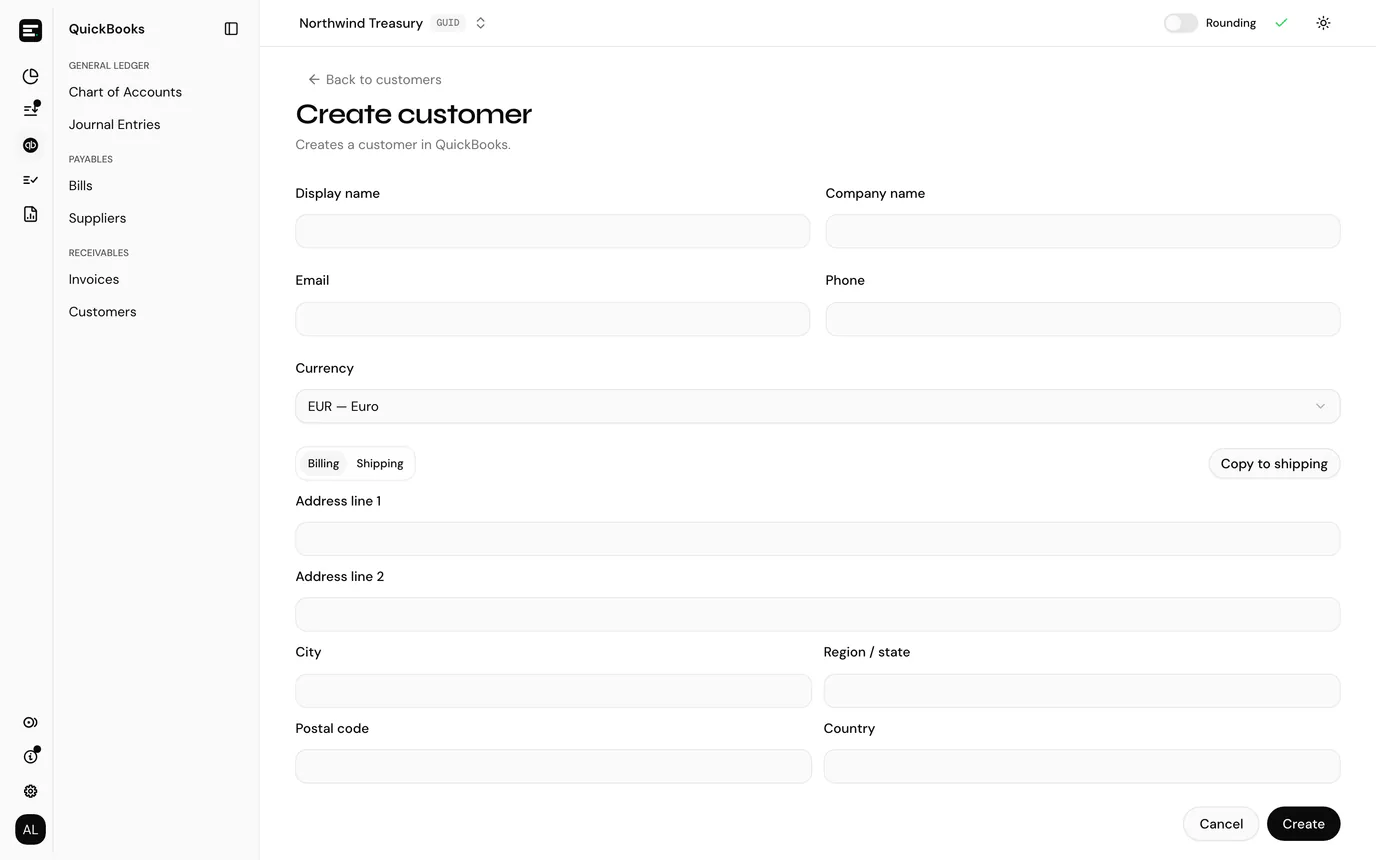
Suppliers → Create supplier writes a QuickBooks vendor. Customers → Create customer writes a QuickBooks customer. The forms are the same bar the address section.
| Field | Required | Notes |
|---|---|---|
| Display name | Yes | What QuickBooks lists the party under. It has to be unique in the company file |
| Company name | No | |
| No | ||
| Phone | No | |
| Currency | No | Only shown when multi-currency is on in QuickBooks. See currency below |
| Billing address | No | Address line 1, line 2, city, region or state, postal code, country |
| Shipping address | Customers only | Same fields, on a second tab |
Address fields are all optional and blank ones are dropped, so a party with nothing filled in is created without an address at all rather than with an empty one.
A customer's two addresses sit behind Billing and Shipping tabs, with a Copy to shipping / Copy to billing control beside them that copies whichever tab you are on into the other. Suppliers carry a billing address only, which is what QuickBooks holds for a vendor.
Where the address shows up
The Suppliers and Customers lists have an Address column reading from the billing address, and the table search matches on it, so you can find a party by street or town as well as by name, company, email or id.
Bills
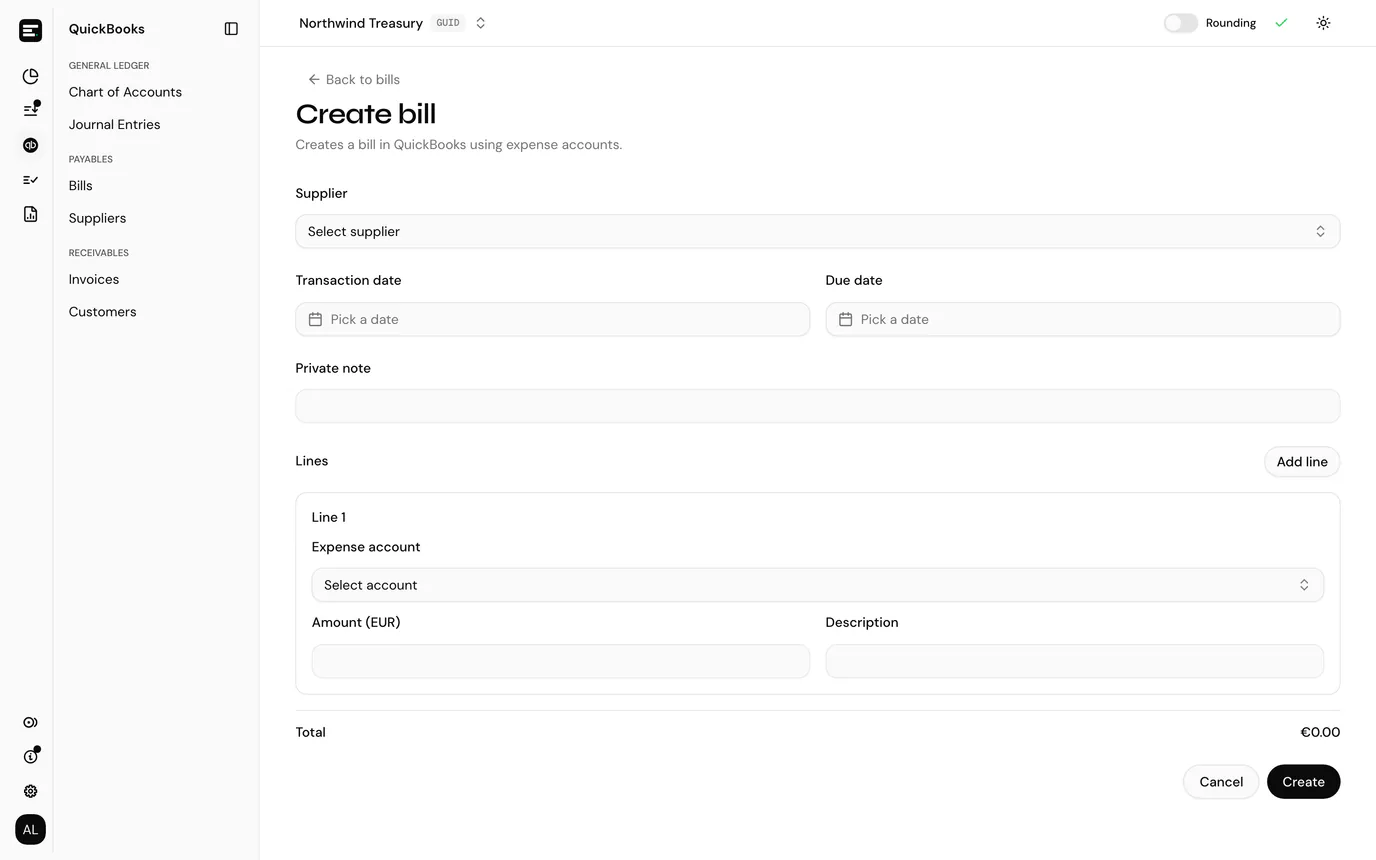
Bills → Create bill raises a QuickBooks bill against a supplier.
| Field | Required | Notes |
|---|---|---|
| Supplier | Yes | Picked from the cached suppliers. Create the supplier first if it is not there |
| Transaction date | No | QuickBooks dates it today when left blank |
| Due date | No | |
| Private note | No | The memo, and what shows in the Memo column on the bills list |
| Lines | At least one | Expense account, amount, optional description |
Each line needs an expense account from your QuickBooks chart and an amount greater than zero. Add line adds another; the bin icon removes one, and is hidden on the last remaining line because a bill cannot be saved without any. A running Total under the lines adds them up in the document currency.
Invoices
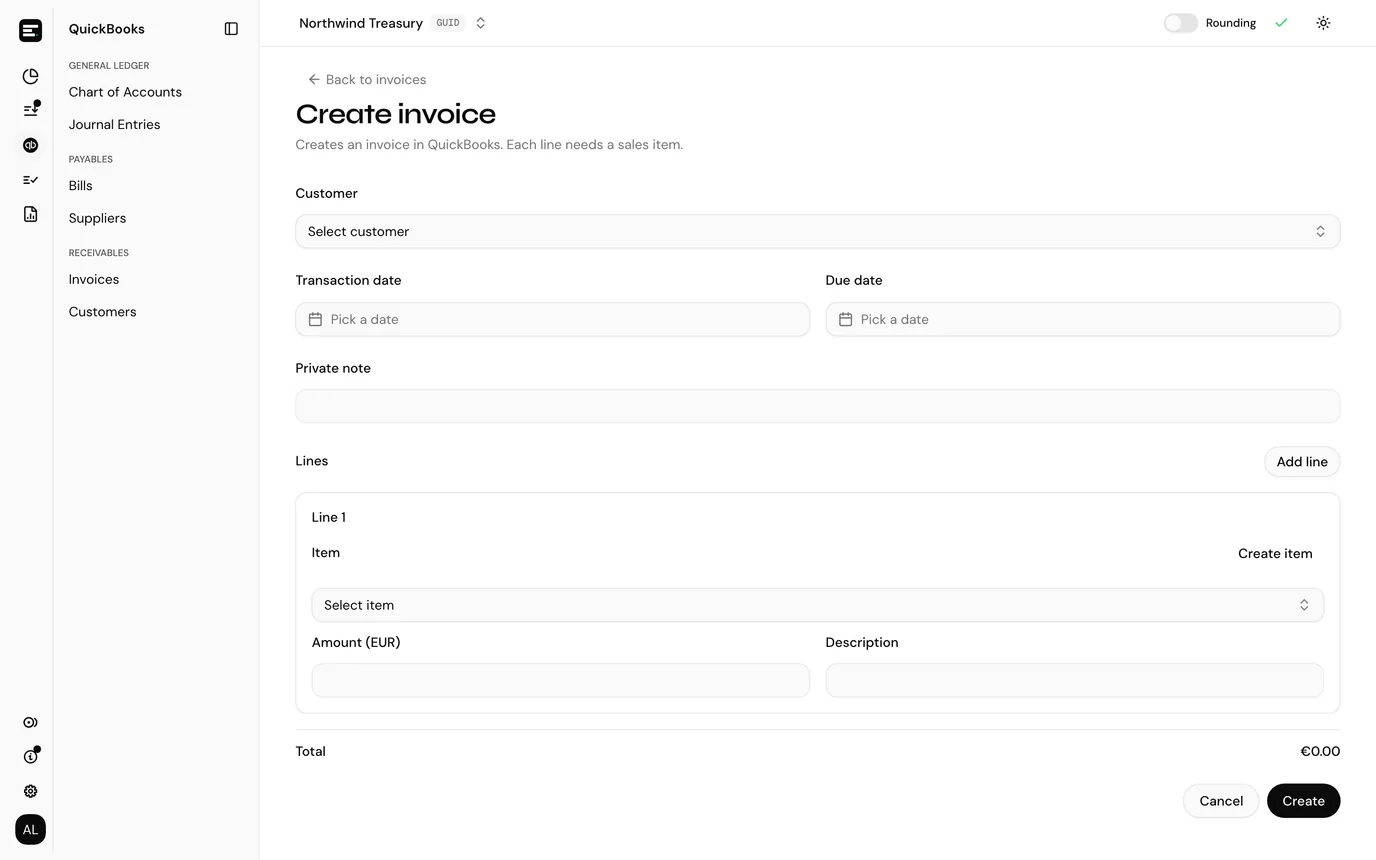
Invoices → Create invoice is the mirror image: a customer instead of a supplier, and each line carries a QuickBooks item instead of an expense account.
| Field | Required | Notes |
|---|---|---|
| Customer | Yes | Picked from the cached customers |
| Transaction date | No | |
| Due date | No | |
| Private note | No | |
| Lines | At least one | Item, amount, optional description |
Create an item without leaving the form
An invoice line cannot be saved without an item, and the item has to exist in QuickBooks first. Create item above the item picker opens a dialog so a missing one does not send you to QuickBooks mid-invoice.
| Field | Required | Notes |
|---|---|---|
| Name | Yes | Unique in QuickBooks, like a party name |
| Income account | Yes | The QuickBooks Income or Other Income account this service is credited to when sold. Only those two account types are offered |
| Description | No |
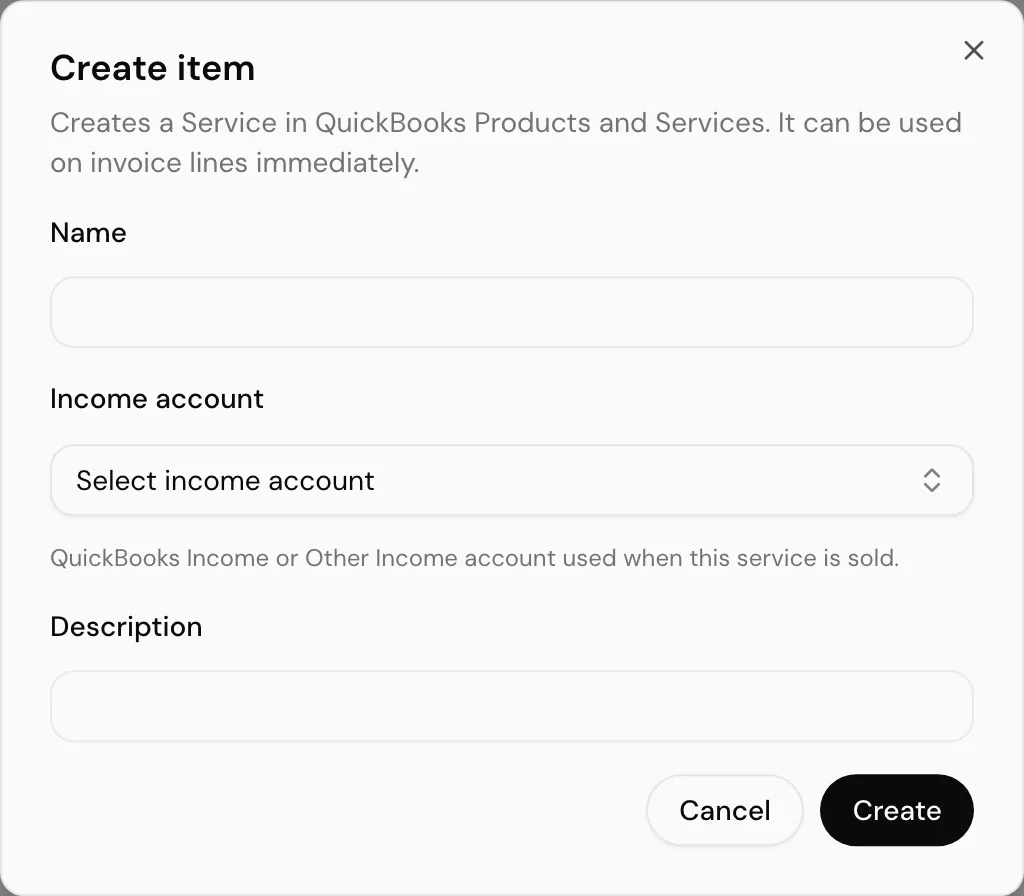
It creates a Service in QuickBooks Products and Services and selects it on the line the dialog was opened from, so you carry on from where you were.
Categories are not items
QuickBooks lets you group Products and Services under categories. Categories are not sellable, so they are left out of the item picker. If you are looking for a name and cannot find it, it is likely a category rather than a service.
Currency
Where the currency comes from depends on what you are creating.
| Creating | Currency |
|---|---|
| Supplier or customer | Your choice, from the currencies enabled in QuickBooks. It defaults to the company's home currency |
| Bill or invoice | Taken from the selected supplier or customer. When the party has none, the entity currency is used. It is not editable on the form |
The Currency field on a party form is only shown when multi-currency is switched on in the QuickBooks company. With multi-currency off, QuickBooks rejects any currency sent at all, so the field is hidden and the party is created in the home currency.
That is also what the two currency errors mean if you meet them:
| Message | Cause |
|---|---|
| Multi-currency must be enabled in QuickBooks to use a non-home currency | A currency other than the home one was requested with multi-currency off |
| This currency is not enabled in QuickBooks | The currency is real, but that QuickBooks company has not enabled it |
Because a bill or invoice inherits its party's currency, the party is where a foreign-currency document is decided. Set the currency when you create the supplier or customer.
What happens when you save
- The record is created in QuickBooks.
- SimplyLedger writes it into its own cache immediately, so the row is on the Bills, Invoices, Suppliers or Customers list as soon as you land back on it. You do not have to press Sync for something you just created.
- You are returned to the list, with a confirmation naming what was created.
A new bill or invoice is also offered by the picker at posting time straight away, because the picker reads QuickBooks live rather than the cache. See the picker at posting time.
When a create is refused
Nothing is written when a create fails, so the fix is to correct the form and submit again.
| Message | Cause |
|---|---|
| A record with this name already exists in QuickBooks | The display name or item name is taken. QuickBooks enforces this across customers, suppliers and employees, so a name can collide with a record you were not looking at |
| Multi-currency must be enabled in QuickBooks to use a non-home currency | See currency |
| This currency is not enabled in QuickBooks | See currency |
| at least one line is required | The document has no lines |
| each line amount must be greater than zero | A line amount is zero, blank or negative |
| each invoice line requires item_id | An invoice line has no item |
| dates must be YYYY-MM-DD | A date was sent in another format. The date pickers cannot produce this, so it points at an API call made outside the app |
| QuickBooks bills and invoices are not enabled for this entity | The feature was turned off while the form was open |
The required-field errors are normally caught by the form before anything is sent, and appear under the field rather than as a message.
Next
Bills and invoices covers what these documents are for: settling them from a wallet transaction as part of posting.