
Connect an exchange
Connecting an exchange lets SimplyLedger pull balances and trades automatically, the same way it tracks an on-chain wallet. Binance, Kraken, KuCoin, OKX, and Nexo are supported.
Before you start
You need API credentials from the exchange itself. Create them in the exchange's own security settings, not in SimplyLedger.
Pick the exchange
From Wallets, select Create exchange. On-chain addresses use Create wallet instead; this button is only for exchange accounts.
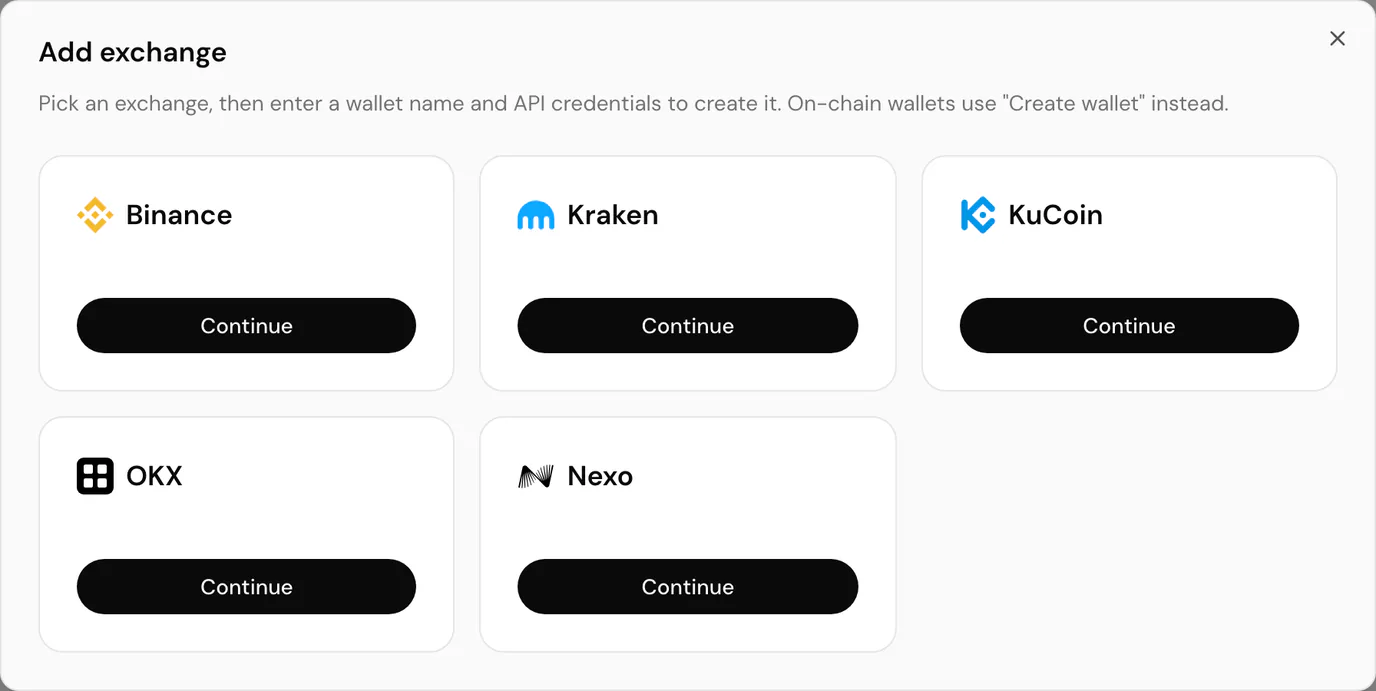
Choose your exchange and select Continue.
Enter your credentials
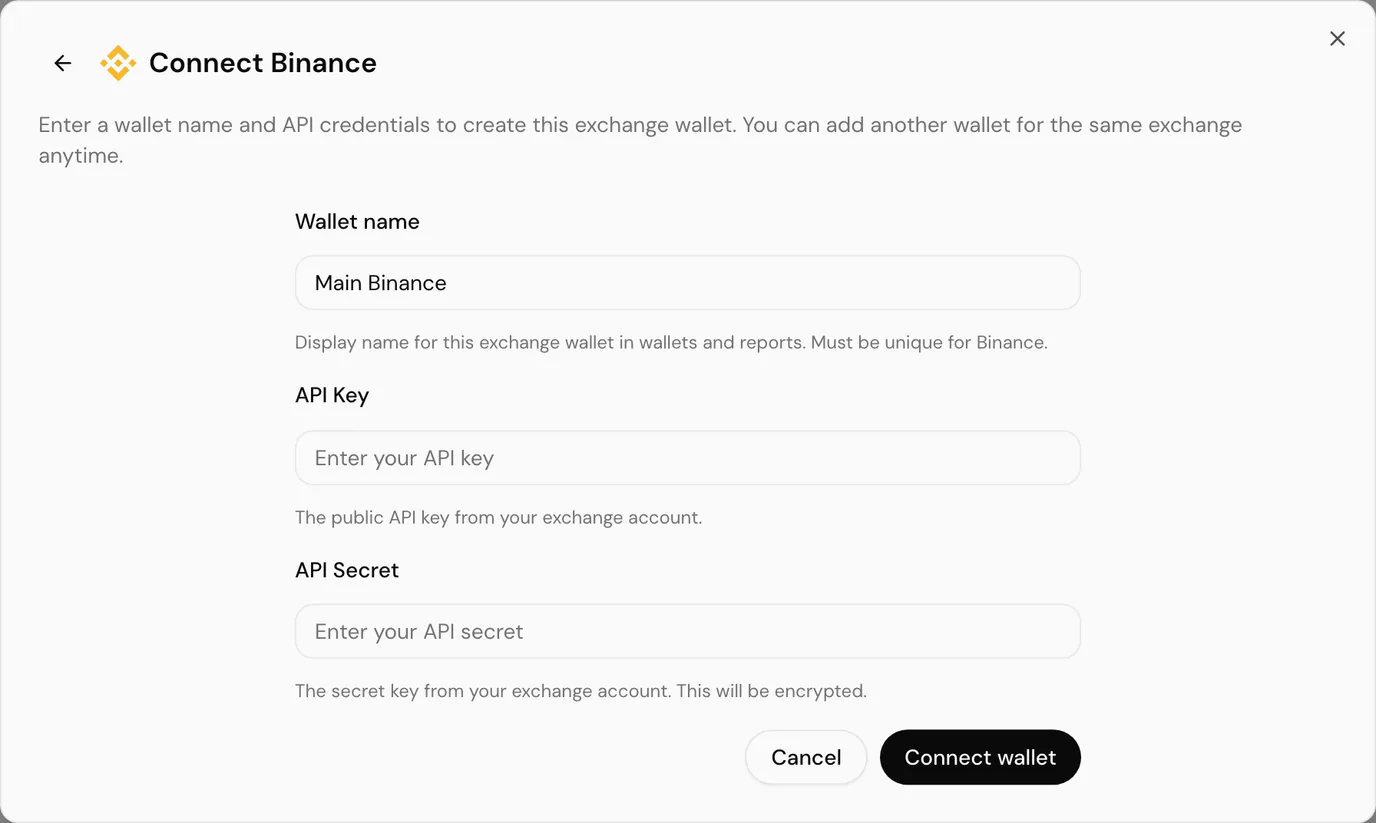
| Field | Notes |
|---|---|
| Wallet name | Display name for this exchange wallet in wallets and reports. It must be unique for that exchange, so Main Binance and Treasury Binance can coexist. |
| API Key | The public API key from your exchange account. |
| API Secret | The secret key from your exchange account. SimplyLedger encrypts it at rest. Most exchanges show it only once, when you create the key. |
| Passphrase | Only shown for exchanges that use one, such as OKX and KuCoin. It is the passphrase you set when creating the key, not your account password. |
Select Connect wallet to finish. The exchange appears alongside your wallets and syncing begins.
You can add more than one wallet for the same exchange, which is useful when you hold several accounts and want them tracked separately.
Nexo
Nexo has its own integration page rather than a plain API connection, and supports uploading a CSV export as well as connecting credentials. Open it from Integrations.
Reconnecting and disconnecting
Credentials expire or get revoked at the exchange. When that happens the wallet stays in SimplyLedger but stops syncing.
Go to Integrations and open the exchange. Wallets missing credentials are listed separately from Connected wallets, so you can attach a new key to the existing wallet rather than creating a duplicate, which would double up its history.
Disconnect removes the stored credentials from a wallet. The wallet and everything already synced stay in place.
Common problems
The key is rejected on save. Check you have not pasted the secret into the key field, and that a passphrase is supplied if your exchange requires one.
It connected but nothing syncs. The key most likely lacks read permission for the data SimplyLedger needs, or an IP allow-list on the exchange is blocking it.
Next
Each token or currency a wallet holds needs a token card before it can be tracked and posted.