
Sync transactions
Once a wallet is added, SimplyLedger indexes its on-chain activity in the background. The Transaction sync page shows the progress of those jobs.
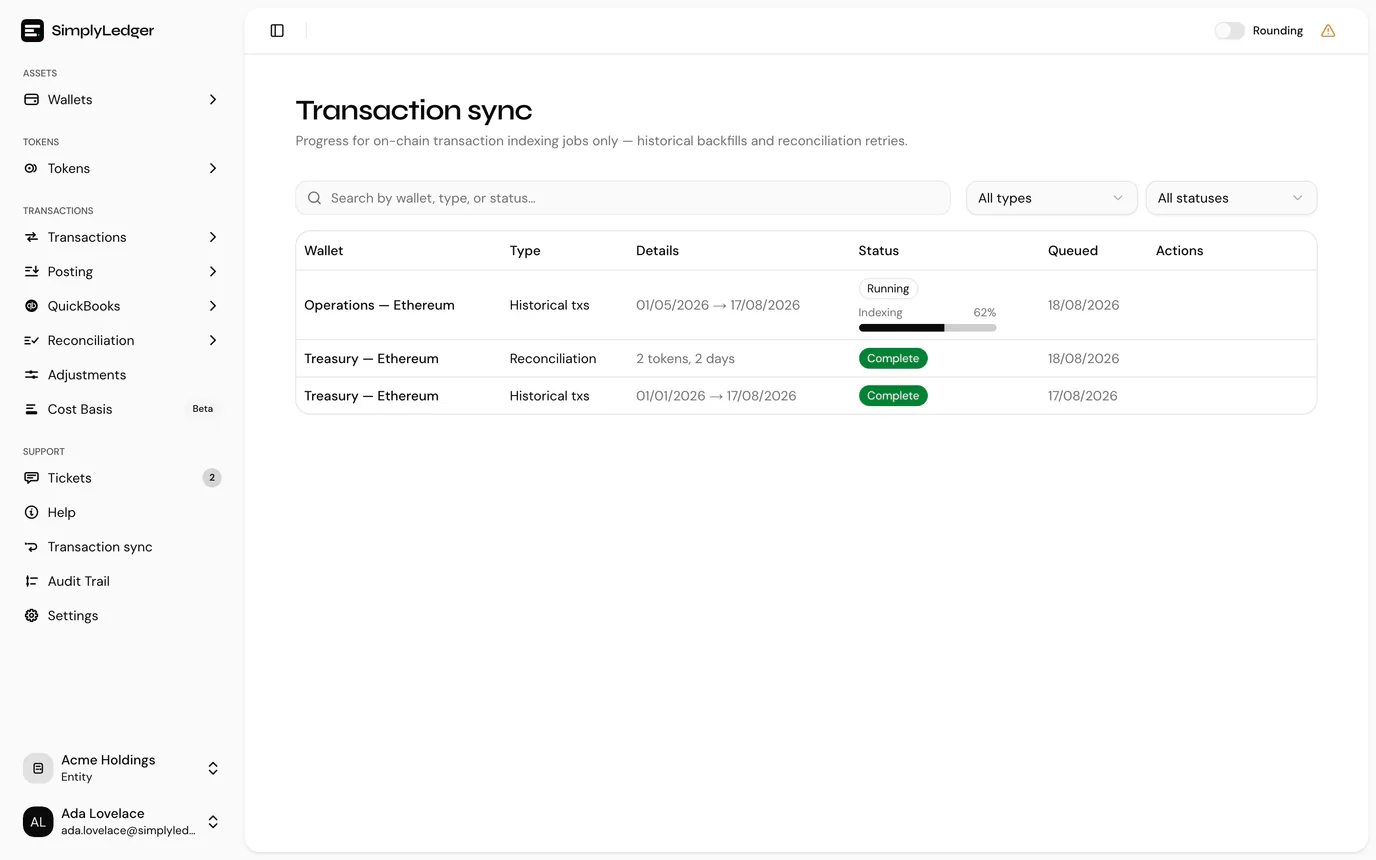
On-chain only
This page tracks on-chain indexing jobs: historical backfills and reconciliation retries. Exchange syncing is not shown here.
Reading the queue
Each row is one indexing job, showing the wallet, the job type, what it covers, and its status.
Two job types run here:
| Type | Raised by |
|---|---|
| Historical txs | Request historical transactions, to backfill a wallet's past activity. Its details are the date range. |
| Reconciliation | Request Attention on the posting overview, to re-index days that would not reconcile. Its details are how many tokens and days it covers. |
Every job passes through four statuses:
| Status | |
|---|---|
| Queued | Accepted, not started. |
| Running | Indexing now. Historical jobs also show a percentage as they progress. |
| Complete | Finished. |
| Failed | Stopped with an error, which is shown on the row. |
Both filters and a search across wallet, type and status narrow the list, and the page refreshes itself while any job is unfinished, so a running job's progress updates without reloading.
An empty queue is normal. It means no backfill is in progress, not that nothing has synced; completed jobs age out of the view.
Requesting a historical sync
New wallets index from the point they were added. To pull in earlier activity, use Request historical transactions from the Transactions page or the wallet's own page. The request appears here as a Historical txs job.
Backfills over a long history take time. The job stays Running, with a percentage, until every block in range has been indexed.
When a job fails
A failed historical job has a Request attention action, which raises a support ticket prefilled with the wallet, address, date range and request ID. Use it when a job has failed, has been running far longer than expected, or has completed without the transactions you expected.
The same words, twice
Request attention here opens a support ticket. Request Attention on the posting overview queues a re-index instead, without involving support. Check which page you are on.
A failed reconciliation job has no action here. Re-request it from the posting overview, which still lists the days that did not reconcile.
Next
Review transactions once the sync has caught up.